

4K IPTV in brief
- 4K means 3840 by 2160 pixels. It needs about 25 Mbps of steady broadband for each stream.
- You need a 4K television, a 4K-capable device, the right HDMI port and a player that shows the stream's real resolution.
- Most UK channels are made in HD. A channel labelled 4K is not always 4K, and no UK channel is broadcast in 8K.
- A steady Full HD picture beats a 4K picture that stalls. Wire the device in if you can.
- On IPTV King, the 4K channels come with IPTV 4K Ultra, IPTV 8K Ultra Max and the Family Pack.

What 4K IPTV means
Picture quality on television comes down to how many pixels make up each frame, how many frames are shown each second, and how much data is used to describe them. If IPTV itself is new to you, start with our IPTV explainer.
| Name | Resolution | Pixels per frame | Typical stream |
|---|---|---|---|
| Standard definition | 720 by 576 | About 0.4 million | 2 to 4 Mbps |
| HD (720p) | 1280 by 720 | About 0.9 million | 4 to 6 Mbps |
| Full HD (1080p) | 1920 by 1080 | About 2 million | 6 to 10 Mbps |
| 4K Ultra HD (2160p) | 3840 by 2160 | About 8.3 million | 15 to 25 Mbps |
HDTV, the label many televisions still carry, covers the HD and Full HD rows. 4K IPTV, also written IPTV UHD or Ultra HD IPTV, is the last row: four times the pixels of Full HD, delivered over your broadband connection. On a large television viewed from a normal sofa distance, the extra detail is visible in fine textures, in crowd shots and in on-screen graphics. On a small screen, or from the far side of a large room, it is much harder to see.
Resolution is only part of what people mean by a 4K picture. Two other things often arrive with it.
HDR. High dynamic range gives brighter highlights, deeper shadows and a wider range of colours. Many viewers find HDR a more obvious improvement than the extra pixels.
Frame rate. British broadcasters work at 50 frames a second. A 4K stream at 50 frames per second carries twice the data of one at 25, and it is what makes live sport look smooth.

The four things you need for 4K IPTV
Ultra HD only reaches your eyes if every link in the chain supports it. If one link is HD, the picture is HD.

- A real 4K channel. The stream itself has to be encoded at 3840 by 2160. No device can add detail that was never sent.
- Broadband with room to spare. About 25 Mbps for each 4K stream, steady enough to deliver it without dips.
- A 4K-capable device. A streaming stick, box or Smart TV that can decode the video format and output 4K.
- A 4K television, connected and set up correctly. The right HDMI port, the right cable and the right setting.
The sections below take these one at a time. If you only read one, read the first: it explains why so many people who think they are watching 4K are not.

Is the channel really 4K?
This is the awkward truth about 4K IPTV in the UK. Most television channels are not made in 4K.
Nearly all linear channels in Britain are produced and transmitted in HD or Full HD. Ultra HD is used for a limited amount of output, mainly major sporting events and some premium drama and film. So a service that carries a channel in 4K is either carrying one of those few Ultra HD feeds, or it is carrying an HD channel that has been scaled up and labelled 4K.
Upscaling is not the same thing. Stretching a Full HD picture to 3840 by 2160 produces a file with 4K dimensions and HD detail. It uses more of your broadband and looks no better than the HD original. Your television would have upscaled the HD channel just as well by itself.
How to check what you are receiving
Do not trust the channel name. Read the stream.
- TiviMate prints the resolution and frame rate on the banner it shows as each channel opens.
- In IPTV Smarters Pro, the player's settings show the same details.
- In VLC, open the codec information from the Tools or Window menu.
- In Kodi, press O during playback to see the codec details; our page on IPTV in Kodi and Plex covers set-up.
A genuine 4K live channel reports 3840 by 2160, usually at 50 frames per second, with a bitrate several times that of an HD channel. If a channel called 4K reports 1920 by 1080, it is Full HD with a flattering name.
What about 8K IPTV?
You will see 8K in the names of IPTV plans, including one of ours, so it is worth being exact about what it can mean.
No UK broadcaster transmits a channel in 8K. Very few homes have a television that can display it, and an 8K stream needs several times the broadband of a 4K one. So no service can give you live British television in 8K, whatever its plan is called.
What a plan can include is a selection of content that was made in 8K. That is what the name of IPTV King's IPTV 8K Ultra Max plan refers to. It is our highest level: everything in the 4K Ultra plan, plus a selection of 8K content. The live British channels on it are in HD, Full HD and 4K, as they are on 4K Ultra. To see anything in 8K you need an 8K television, a device that can output it and a very fast, wired connection.
If a seller promises live 8K channels, ask which ones.

Broadband for 4K IPTV

A 4K stream is the most demanding thing most households ever ask of their connection, because it is both large and live.
| What is watching | Broadband to allow |
|---|---|
| One 4K stream | 25 Mbps |
| One 4K stream and one Full HD stream | 35 Mbps |
| Two 4K streams | 50 Mbps |
| Two 4K streams in a busy household | 65 Mbps or more |
Three points matter more than the headline speed.
Steadiness. A line that averages 40 Mbps but dips every few minutes will stall a 4K stream. Live television cannot load far ahead, so there is little reserve to ride out a dip.
The evening. Many part-fibre lines slow down between about 7pm and 10pm. Test your speed at the time you watch, not at lunchtime.
The last few metres. Wi-Fi is the weakest link in most homes. For 4K, connect the television device to the router with a network cable wherever you can. Even the modest network ports on streaming devices are several times faster than a 4K stream needs, and a cable removes interference from the picture altogether.
If your line cannot sustain 4K, Full HD will look very good on a 4K television and will play without interruption. Our page on fixing IPTV buffering has a calculator that works out what your household needs.

4K-capable devices for IPTV
Not every streaming device outputs 4K, and not every 4K device runs the best IPTV players.
| Device | 4K output | Notes for IPTV |
|---|---|---|
| Fire TV Stick 4K Max, 2023 model | Yes | Runs Fire OS; the popular players can be installed |
| Fire TV Stick 4K, 2023 model | Yes | Runs Fire OS |
| Fire TV Cube | Yes | Runs Fire OS; network port built in |
| Fire TV Stick 4K Select | Yes | Runs Vega OS; cannot install the popular players |
| Google TV Streamer | Yes | Play Store players; network port built in |
| Nvidia Shield TV | Yes | The most powerful; excellent upscaling |
| Apple TV 4K | Yes | App Store players; superb hardware |
| Recent Smart TVs | Yes | Depends on the players in the television's store |
| Sky Glass television | Yes | No IPTV players of its own; add a 4K stick (Sky Glass set-up) |
| Roku, Xbox or MAG box | Some models | Limited choice of players: see MAG, Roku and Xbox |
| HD streaming sticks | No | Play 4K channels at HD resolution only |
Three things to check on any device.
- It decodes HEVC. This is the video format used for almost all 4K streams. Every current 4K device supports it.
- It can match the frame rate. UK channels run at 50 frames per second. A device that outputs 60 produces a slight judder on sport unless it can switch to match.
- It will run your player. A device that outputs 4K is no use for IPTV if it cannot install a player app. Our page on choosing an IPTV box compares the options, and our IPTV Firestick page explains which Fire TV models to choose.
Setting up your television for 4K
A surprising number of 4K televisions are fed a 4K signal and show it in a reduced form, because one setting was left at its default.
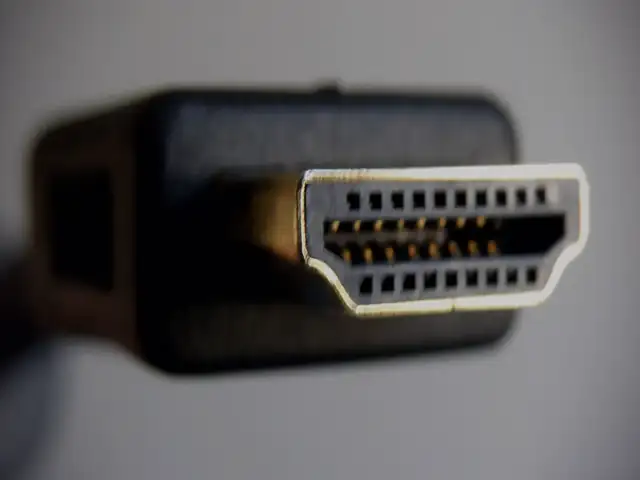
- Use the right HDMI port. On many televisions only some ports accept a full 4K signal at 50 or 60 frames per second. They are usually marked on the back, or listed in the manual.
- Turn on the enhanced HDMI mode for that port. Makers give it different names, such as Input Signal Plus, HDMI Ultra HD Deep Colour or Enhanced Format. Without it, the port may be limited to a lower-quality signal.
- Use a suitable cable. A cable sold as Premium High Speed is designed for 4K. An old cable from a drawer may limit the signal or cause dropouts.
- Check the device's display settings. Set the resolution to 4K or automatic, and turn on frame rate matching where it is offered.
- Plug a stick straight into the television, or into a receiver or soundbar that passes 4K through. Older audio equipment in the chain can force the picture down to HD.
- Confirm it. Most televisions show the incoming signal when you press the info button: look for 3840 by 2160, or 2160p.
If the television reports 1080p, work back through that list. The fault is nearly always the port, its setting or the cable.

4K, Full HD or HD: which should you choose?
More pixels are not always the better choice. This is how the options compare in practice.
| HD (720p) | Full HD (1080p) | 4K Ultra HD | |
|---|---|---|---|
| Broadband per stream | 6 Mbps | 10 Mbps | 25 Mbps |
| Data used per hour | Up to 2.7 GB | Up to 4.5 GB | Up to 11 GB |
| Best on screens | Up to about 40 inches | Most living-room sets | 50 inches and above |
| Tolerance of weak Wi-Fi | Good | Fair | Poor |
| How many channels are made this way | Many | Many | Few |
The data figure matters if you record in 4K, since every hour fills up to 11 GB of storage; our page on recording IPTV covers where recordings can go.
A sensible rule is to watch each channel at the best quality that plays without stalling. That is 4K where the channel is truly 4K and your connection is wired and fast. It is Full HD for most channels on most evenings. And it is HD on a bedroom set over Wi-Fi, or on a line that slows at peak time.
An HD IPTV service on a good connection, shown on a modern television, is a very good picture. Older sets call it HDTV. IPTV in HDTV quality is still what most channels are made in, so an HD IPTV service UK homes can run on almost any line remains IPTV in high quality. HDTV IPTV and 4K IPTV are steps on one ladder, not rivals. People who chase a 4K label on a connection that cannot carry it end up with a worse evening than those who settle for Full HD.
Is 4K IPTV worth it?
It depends less on the service than on your room. Ultra HD shows its extra detail on a large screen at a normal viewing distance; on a small set, most people cannot tell it from Full HD.
| Your set-up | Is 4K worth it? |
|---|---|
| A 4K television of 55 inches or more, a 4K device and steady broadband of 25 Mbps or more | Yes: this is what 4K is for |
| A 4K television of 43 to 50 inches, watched from across the room | Sometimes: sport and nature programmes show it best |
| A television under 43 inches, or one that is not 4K | No: Full HD looks the same at that size |
| Broadband that dips below 25 Mbps in the evening | Not yet: a steady Full HD picture beats a 4K one that stalls |
| Several people watching 4K on different screens at once | Only if the connection carries 25 Mbps for each 4K screen |
If your answers point to yes, IPTV 4K Ultra is the plan to look at, and the Family Pack gives the same quality on two to five screens. If they point to no, IPTV Premium UK gives you HD and Full HD for less, and you can move up when your television or broadband changes.

4K and HD on IPTV King
Picture quality is what separates our plans, and IPTV King delivers each channel at the quality it is supplied in.
IPTV Premium UK
1 screen
Best for: One HD or Full HD television
1
screen at a time
HD and Full HD
picture quality
Term in months
You save £20.00 on 12 months
- HD and Full HD channels on one screen.
- Live TV channels
- TV guide (EPG) for the live channels
- Films and series on demand
- Catch-up TV
- Support 24 hours a day, every day

Pay by Visa, Mastercard, PayPal, Apple Pay, Google Pay or bank transfer
IPTV 4K Ultra
1 screen
Best for: A 4K television and fast broadband
1
screen at a time
Up to 4K
picture quality
Term in months
You save £20.00 on 12 months
- Everything in Premium UK, plus 4K channels, on one screen.
- Live TV channels
- TV guide (EPG) for the live channels
- Films and series on demand
- Catch-up TV
- Support 24 hours a day, every day
Pay by Visa, Mastercard, PayPal, Apple Pay, Google Pay or bank transfer
IPTV 8K Ultra Max
1 screen
Best for: The highest level we sell, on a 4K or 8K television
1
screen at a time
4K, plus some 8K
picture quality
Term in months
You save £30 on 12 months
- Everything in 4K Ultra, plus a selection of 8K content, on one screen.
- Live TV channels
- TV guide (EPG) for the live channels
- Films and series on demand
- Catch-up TV
- Support 24 hours a day, every day
Pay by Visa, Mastercard, PayPal, Apple Pay, Google Pay or bank transfer
IPTV Family Pack
2 screens
Best for: Homes that watch on 2 to 5 screens at once
2
screens at once
Up to 4K
picture quality
Screens at the same time
Term in months
You save £30 on 12 months
- 4K Ultra quality on 2 screens at the same time.
- Live TV channels
- TV guide (EPG) for the live channels
- Films and series on demand
- Catch-up TV
- Support 24 hours a day, every day
Pay by Visa, Mastercard, PayPal, Apple Pay, Google Pay or bank transfer
Not ready to choose? Try IPTV King for 30 days for £10, on your own broadband and devices.
Try 30 days for £10IPTV Premium UK is HD and Full HD. The 4K channels are part of IPTV 4K Ultra, IPTV 8K Ultra Max and the multi-screen Family Pack. Every price is on the IPTV plans and prices page.
Whichever plan you take, the way to get the best picture from it is the same.
- Wire the main television. A network cable does more for picture quality than any other single change.
- Use a 4K-capable device that runs a good player. TiviMate and IPTV Smarters Pro both show the real resolution of each channel.
- Turn on frame rate matching on the device, so that sport runs smoothly at 50 frames per second (see our full guide to 50fps IPTV sports set-up in the UK).
- Choose the right version of a channel. Where a channel is offered in more than one quality, pick the highest that plays cleanly on your connection.
The best 4K IPTV subscription is not the one with the most channels labelled 4K. It is the one whose picture matches its labels, on a connection that can carry it. The way to find out is to test: our page on testing IPTV at home explains how to check the real resolution of what you are watching.

8K IPTV: what the 8K Ultra Max plan adds to 4K IPTV
Above 4K IPTV sits one more step. Our 8K IPTV subscription, IPTV 8K Ultra Max, includes everything in IPTV 4K Ultra plus a selection of 8K content, on one screen.
Be clear about what that buys. Very little television is made in 8K today, so on an 8K TV, IPTV in 4K is what you will watch most of the time, scaled up by the set. The 8K content is there for the screens that can show it. If you own an 8K television and a fast, wired connection, this is the plan that uses them. If your set is 4K, IPTV 4K Ultra gives you everything that screen can show, for less.

Getting 4K on each kind of device
Fire TV. In Settings, Display and Sounds, Display, set the video resolution to automatic, set Dynamic Range to Adaptive (so ordinary HD channels are not forced into HDR) and turn on Match Original Frame Rate. Use the HDMI extender supplied in the box, and consider Amazon's Ethernet adapter for a wired connection. If you are shopping for an Amazon Fire Stick 4K IPTV set-up, verify the operating system in Amazon's Fire TV device specifications so you pick a Fire OS model rather than a Vega OS model, then follow our step-by-step Smarters install for Fire TV.
Google TV and Android TV. In Settings, Display and Sound, check that the resolution is 4K and that the option to match content frame rate is on. Boxes with a network port should use it—see our certified Android TV boxes comparison (Shield Pro, Google TV Streamer and Xiaomi) and our page on Android IPTV players.
Apple TV 4K. In Settings, Video and Audio, choose a 4K format at 50 Hz, and turn on Match Frame Rate and Match Dynamic Range under Match Content. Our page on IPTV players for Apple TV and iPhone lists them.
Smart TVs. A player running on the television itself needs no HDMI set-up, because there is no HDMI link. Wire the television to the router, and choose a player from the television's own store. See running IPTV on the television itself.
Computers. A laptop will play a 4K stream if its processor and graphics can decode HEVC (on Windows, Microsoft's HEVC Video Extensions add it), but few laptop screens are 4K. Our page on watching IPTV on a computer covers desktop players.

When 4K IPTV stutters
Because a 4K stream is so large, it shows up weaknesses that HD never touches. Work through these in order.
| Symptom | Likely cause | Fix |
|---|---|---|
| Stalls every few minutes | Wi-Fi cannot sustain the bitrate | Use a network cable, or the 5 GHz band |
| Fine at lunchtime, poor in the evening | Broadband slows at peak time | Watch in Full HD at busy times |
| Plays, but the television says 1080p | HDMI port, setting or cable | Follow the television set-up steps above |
| Slight judder on moving shots | Frame rate mismatch | Turn on frame rate matching |
| Sound but a black picture | The device cannot decode the stream | Use a 4K-capable device; change the decoder setting |
| Blocky picture in fast action | The stream is heavily compressed | Nothing to fix at home; try the HD version |
| The device gets hot and slows | A small stick working hard | Give it air; use the HDMI extender |
| Stalls only while a VPN is on | The VPN cannot carry 25 Mbps steadily | Turn it off: see does IPTV need a VPN? |
If only the 4K channels cause trouble and everything else is perfect, the answer is almost always the connection between the router and the television. For everything else, see our IPTV fault finder.

4K IPTV: what to watch out for
A few claims come up again and again in advertising for 4K IPTV, and they deserve a second look.
- "Thousands of 4K channels." There are not thousands of channels made in 4K anywhere. A long 4K list is a list of relabelled HD.
- "Live 8K channels." No UK channel is broadcast in 8K. Ask exactly which content is in 8K.
- "4K with no buffering, guaranteed." Nobody can guarantee what your Wi-Fi will do.
- "Works on any device." A 4K stream needs a 4K device. An HD stick will show it in HD.
The honest version is less exciting and more useful: a small number of true Ultra HD channels, a much larger number of good HD and Full HD ones, and a picture that depends on your connection as much as on the service. A provider that tells you that is one worth listening to. Our page on choosing the best IPTV in the UK sets out what else to look for, and our UK IPTV service page gives an overview of the service.
Questions people ask
What is 4K IPTV?
4K IPTV is IPTV delivered at Ultra HD resolution: 3840 by 2160 pixels, four times as many as Full HD. The stream arrives over your broadband like any other IPTV channel, but it carries far more data, so it needs a faster and steadier connection, a device that can decode it and a television that can show it.
What internet speed do I need for 4K IPTV?
Allow 25 Mbps of download speed for each 4K stream, plus spare capacity for everything else in the house. A 4K channel typically uses between 15 and 25 megabits per second. Steadiness matters as much as speed, so a wired connection to the television device is strongly recommended for Ultra HD.
Do I need a special device for 4K IPTV?
You need a television with a 4K panel and a streaming device that outputs 4K and can decode the HEVC video format, such as a Fire TV Stick 4K Max, a Google TV Streamer, an Apple TV 4K or a recent Smart TV. A standard HD stick will play the channel, but only at HD resolution.
How can I tell if an IPTV channel is really 4K?
Open the stream information in your player while the channel is playing. A genuine 4K channel reports a resolution of 3840 by 2160 and a bitrate well above that of HD channels. A channel labelled 4K that reports 1920 by 1080, or a low bitrate, is HD that has been relabelled or upscaled.
Is 8K IPTV real?
Only in part. No UK broadcaster transmits a channel in 8K, very few televisions can show it, and it needs several times the broadband of 4K, so no service has live British television in 8K. What a plan can include is a selection of content made in 8K, which is what our IPTV 8K Ultra Max plan adds to its 4K channels. Ask any seller exactly what is in 8K before paying extra for it.
Is HD IPTV good enough?
For most viewing, yes. Most television channels in the UK are produced in HD or Full HD, and a modern 4K television upscales them well. A steady Full HD stream looks better than a 4K stream that keeps stalling. Choose 4K where the channel, your broadband and your equipment all support it, and HD everywhere else.
What broadband speed and device do I need for the best 4K IPTV subscription in the UK?
Allow at least 25 Mbps of steady evening broadband per 4K stream, ideally wired by Ethernet, together with a 4K television and an HEVC-capable 4K streaming device such as a Fire OS Fire TV Stick 4K Max, a Google TV Streamer, an Apple TV 4K or a certified Android TV box.
Related guides
 IPTV subscription UK: IPTV King plans, prices and what each costs per monthEvery plan and its price for each term, what a subscription includes, and how to order.34 min read
 IPTV box: the best devices for IPTV in the UKSticks, boxes, Apple TV and Smart TVs compared for IPTV, with the specifications that matter and the boxes to avoid.17 min read
 IPTV buffering: why it happens and how to stop itFind the cause in five minutes, work out the speed you need, and apply twelve fixes in the order most likely to work.20 min read
 IPTV Firestick: which model to buy, which apps to use and how to set it upWhich Fire TV models still run IPTV players, the best apps, set-up and a stable picture.17 min read