

Trying IPTV King in brief
- Our trial runs for 30 days and costs £10: long enough to see how the service behaves on your broadband, evening after evening.
- Have a player app installed before your login arrives, so you can start straight away.
- Test on busy evenings and at weekends. That is when a test tells you something.
- When you are happy, pick a plan. The longer the term, the less each month costs.

Try IPTV King: our trial offer
Our trial: 30 days for £10
Try IPTV King for 30 days for £10, on your own broadband and your own devices, before you choose a longer plan. Order the trial on WhatsApp and your login arrives in the same chat once it is paid.
We want you to try IPTV King before you pay for a long term, for a simple reason: a streaming service has to work on your broadband, with your router, on your device, at the times you watch. Nobody can promise you that from a web page. A test in your own home settles it.
A day is too short for that test. One quiet evening can hide a problem that only shows up on a Saturday night. Our trial runs for 30 days, so it covers every evening and every weekend in a month, and it costs £10.
If you want longer still, the shortest plan on the IPTV plans and prices page is three months: about a dozen weekends, on the plan you would keep.
How the IPTV trial works
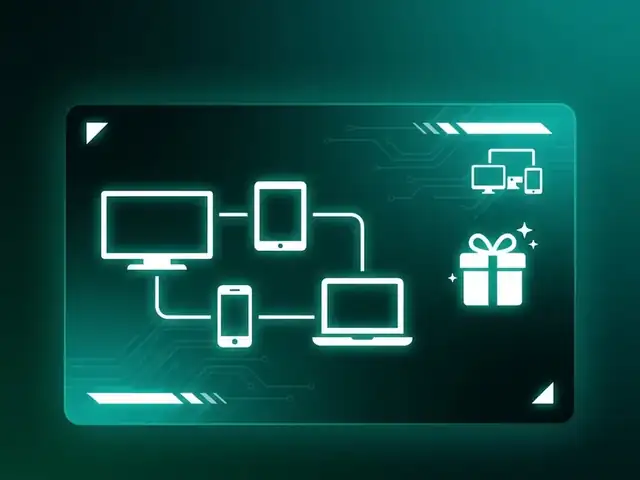
- Get ready first. Install a player app on the device you want to watch on. Smarters Pro is free and takes a minute, or a few more on a Fire TV Stick, where you install it with Downloader.
- Order your trial. Use the button in the box above and tell us which device you will be using. It costs £10, paid the same way as any plan.
- Receive your login. It arrives in your WhatsApp chat with us, as a username, password and server address, or as a single link.
- Sign in. Enter the details in the app. The channels and the programme guide load.
- Watch. Use the service as a subscriber would until the trial ends.
Two things are worth knowing before you begin.
The trial starts when the account is created, not when you first press play, so order it when you are ready to use it.
A trial login works like any other. If you have not entered one before, our page on how to set up IPTV shows where each detail goes, so that your first sign-in takes two minutes.

What you can test during an IPTV trial
A quick flick through the channels on a quiet afternoon tells you very little, because almost any service looks good then. A proper IPTV test answers four questions.
Are the channels I watch there? Forget the total. Write down the ten channels your household really watches and look for each by name.
Does it hold up on my broadband in the evening? Your connection and our servers are both busiest between 8pm and 10pm. That is the test that matters.
Does it work well on my device and app? You are testing the whole chain: the service, the app and the device together.
Does support answer? Send us a real question while you are trialling. How quickly and how usefully we reply is the best preview of what happens when you need help.

The IPTV trial checklist, free or paid
Work through this in order, whichever service you are testing. The first few checks take ten minutes; the later ones need busy evenings and a weekend.
| Check | How to do it | What good looks like |
|---|---|---|
| Login and load | Enter your details and time the first load | Channels and guide within a couple of minutes |
| Your ten channels | Search for each must-have channel by name | All present, in HD or better |
| Programme guide | Compare three channels with a published schedule | Titles and times match |
| Channel changing | Flick through ten channels in a row | Each starts within two or three seconds |
| Peak-time stability | Watch one channel for 30 minutes between 8pm and 10pm | No stalls, or one brief one |
| Fast action | Watch live sport or anything fast-moving | Smooth motion, no blocky break-up |
| Sound and picture | Watch someone speaking in close-up | Lips and voice in step |
| On demand | Start something from the library and skip forward | Starts quickly and resumes after skipping |
| Second device | Stop playback, then sign in on another device | It plays there too |
| Support | Send a genuine question | A useful reply within our support hours |
Keep a note on your phone as you go. Write down any stall, with the time and the channel. A pattern is far more useful than a general impression. If recording matters to you, try it during the trial too: our page on recording IPTV and catch-up lists the players that can.
If the picture does stall, find out where the fault is before you judge the service. Try another streaming app on the same device, and try a network cable in place of Wi-Fi. Our page on why IPTV buffers and how to fix it has the full list.
Free IPTV trials, test lines and 24-hour trials
Sellers use several names for the same thing. A test line, a free test, a 24h trial and a 24hr trial all mean a temporary login that works for a set time, usually a day, and then stops by itself.
The length matters less than when it runs. A 24-hour IPTV trial that starts on a Tuesday morning tells you little about Saturday afternoon, and some sellers advertise a 48-hour, 72-hour or 7-day free trial instead; the extra days only help if they include a busy evening. Our trial runs for 30 days for £10, so it includes every busy evening in that time.
The searches behind this page come in many spellings: IPTV 24h, IPTV 24h test, IPTV test 24h, a 24hr IPTV trial, an IPTV trial 24h, even an IPTV trial for 1 day or an IPTV free trial for 3 days. Some ask for a free IPTV trial 24h long, or free IPTV for 24h. Typing slips such as "IPTV free trail", "IPTVUK free trial" and "IPTV trial 24 h" arrive here too. All of them want the same thing, which is proof before paying. A free 24hr IPTV trial gives you one evening of proof. Ours gives you a month of it.
That is why we do not offer an IPTV subscription with a free trial of a day. An IPTV subscription free trial that short is over before the weekend, and a free trial of IPTV cannot tell you how support behaves in week three. If you came looking for an IPTV subscription UK free trial, or for the best IPTV UK free trial, judge the offers by what they let you test, not by the word free. You order ours the way people order an IPTV free trial on WhatsApp: one message, and the login arrives in the same chat once it is paid.
A trial login is a full login. It goes into the same player, in the same boxes, as a paid one. Our page on entering an Xtream Codes login shows where each part goes, so that none of your trial is spent working out the app.
Why a 24-hour or 48-hour test line often misses peak-time faults
Many UK searchers look for a 48 hour IPTV free trial, a 24 hour IPTV test line, or a 4K IPTV trial with catch-up because they want quick proof before paying for a full term. To be clear, IPTV King does not offer a 24-hour or 48-hour free trial, nor a free 30-day trial: our only trial is 30 days for £10.
The practical limitation of a 24-hour or 48-hour test line from other sellers is timing. A one-day or two-day window running from Tuesday afternoon to Thursday afternoon rarely exposes three things that matter in daily use:
- Weekend peak demand: Home Wi-Fi, local street cabinets and streaming servers usually experience their heaviest load on Friday, Saturday and Sunday evenings between 7:30pm and 10pm.
- EPG and catch-up consistency: Electronic programme guides refresh daily; a 24-hour test can finish before you notice whether schedules and catch-up listings update cleanly across a full week.
- Real support turnaround: You only see how a provider handles questions when you need help on a busy weekend evening rather than during an automated instant-delivery sign-up.
Testing for 30 days for £10 gives your household four weekends to verify HD and 4K picture quality, channel switching and support before you commit to a three-month, six-month or longer subscription.
Getting the most from your trial
A long trial is only useful if you use it like a subscriber, not like a showroom visit.

- Set up on day one. Install the app, sign in and check your ten channels and the guide while there is time to fix anything.
- Test the first busy evening. Live TV between 8pm and 10pm, when broadband and servers are busiest, is the test that matters.
- Use the weekends. Saturday and Sunday evenings are the hardest test, so make sure your trial covers them.
- Include something live. Live programmes cannot be loaded far ahead, so they show up weaknesses that films hide.
- Live with it. Let the household use it as normal for a couple of weeks. That is what a long trial is for.
- Decide before it ends, so there is no gap between the trial and your plan.
If IPTV King runs cleanly through a Saturday evening on your own line, it will cope with the rest of the week.

What your broadband needs for an IPTV trial
A trial tests your connection as much as it tests us, so check the line first. Run a speed test on the device you will watch on, in the room where it sits, and compare it with what Ofcom's broadband checker says your address should get.
| Picture quality | Allow per stream |
|---|---|
| HD (720p) | 6 Mbps |
| Full HD (1080p) | 10 Mbps |
| 4K Ultra HD | 25 Mbps |
If the figure at the television is far lower than the figure beside the router, the weak link is your Wi-Fi, not your broadband. For the fairest IPTV test, connect the device with a network cable, or at least use the 5 GHz Wi-Fi band. That way you find out what the service can do, and you can judge your home network separately.

An instant IPTV free trial: what that means
Some services advertise an instant IPTV trial, issued by an automated form within minutes. Others create trial accounts by hand during support hours, which takes a little longer and means that a person has read your request and knows which device you are using.
Instant or not makes no difference to what you are testing. What matters is that the trial runs on the same service that paying customers use, and that it covers busy evenings. If speed matters to you, order your trial early in the day, and have your player app installed and ready.

How to read picture quality during an IPTV test
Do not judge quality by eye alone. Most player apps can show the technical details of the channel you are watching.
In TiviMate, the information panel that appears when a channel starts shows its resolution and frame rate. In IPTV Smarters Pro, the player's settings show the same. Two figures tell you most of what you need.
- Resolution. HD is 1280 by 720. Full HD is 1920 by 1080. 4K is 3840 by 2160. Our page on real 4K and upscaled HD shows how to check a channel that claims to be Ultra HD.
- Frame rate. UK television is made at 50 frames per second, and live sport looks smooth only at that rate.
If motion looks slightly jerky even though the picture is sharp, the cause is usually your device sending 60 frames per second to the television. The cure is the frame rate matching option in the device's display menu.

Devices and apps for your trial
Your trial login works on the same devices and in the same apps as a full subscription.
| Device | Player to install first | Set-up page |
|---|---|---|
| Fire TV Stick running Fire OS | IPTV Smarters Pro or TiviMate | IPTV on a Firestick |
| Android TV or Google TV | TiviMate or IPTV Smarters Pro | Android TV and Google TV set-up |
| Samsung or LG television | Smart IPTV or another player from the television's store | Smart TV IPTV apps |
| Sky Glass or Sky Stream | A player on a streaming stick in the HDMI port | IPTV on Sky Glass |
| iPhone, iPad or Apple TV | Smarters Player Lite | IPTV on iPhone, iPad and Apple TV |
| Android phone or tablet | IPTV Smarters Pro or TiviMate | Android IPTV players |
| Windows or Mac laptop | VLC or IPTV Smarters Pro | VLC and Smarters on a computer |
| MAG box, Roku or Xbox | It depends on the device | MAG, Roku and Xbox set-up |
Try the login on a phone first if you like: a touch keyboard makes it a thirty-second job. For the trial itself, use the device you really intend to watch on.
If you have not chosen an app, our TiviMate page and the wider IPTV app comparison will help you decide.

Trial problems and quick fixes
| Problem | Likely cause | Fix |
|---|---|---|
| The player rejects the login | A slip in the server address | Copy and paste each detail |
| Channels listed, nothing plays | Another device is using your connection | Stop playback elsewhere |
| The picture stalls | Weak Wi-Fi at the television | Use a network cable or the 5 GHz band |
| The guide is empty | The guide has not been downloaded | Refresh the guide in the app's settings |
| The app will not install on a Fire TV Stick | The stick runs Vega OS | Use a stick that runs Fire OS, or another device |
| It stalls only while a VPN is on | The VPN is slowing the connection | Turn it off for the trial: see IPTV and VPNs |
If a problem eats into your trial, tell us. We would rather you had a fair test than a rushed one.

From IPTV trial to a full subscription

When the trial ends, the login stops by itself. Nothing renews, so there is nothing to cancel. If you liked what you saw, carrying on takes a couple of minutes: pick your plan and term below.
IPTV Premium UK
1 screen
Best for: One HD or Full HD television
1
screen at a time
HD and Full HD
picture quality
Term in months
You save £20.00 on 12 months
- HD and Full HD channels on one screen.
- Live TV channels
- TV guide (EPG) for the live channels
- Films and series on demand
- Catch-up TV
- Support 24 hours a day, every day

Pay by Visa, Mastercard, PayPal, Apple Pay, Google Pay or bank transfer
IPTV 4K Ultra
1 screen
Best for: A 4K television and fast broadband
1
screen at a time
Up to 4K
picture quality
Term in months
You save £20.00 on 12 months
- Everything in Premium UK, plus 4K channels, on one screen.
- Live TV channels
- TV guide (EPG) for the live channels
- Films and series on demand
- Catch-up TV
- Support 24 hours a day, every day
Pay by Visa, Mastercard, PayPal, Apple Pay, Google Pay or bank transfer
IPTV 8K Ultra Max
1 screen
Best for: The highest level we sell, on a 4K or 8K television
1
screen at a time
4K, plus some 8K
picture quality
Term in months
You save £30 on 12 months
- Everything in 4K Ultra, plus a selection of 8K content, on one screen.
- Live TV channels
- TV guide (EPG) for the live channels
- Films and series on demand
- Catch-up TV
- Support 24 hours a day, every day
Pay by Visa, Mastercard, PayPal, Apple Pay, Google Pay or bank transfer
IPTV Family Pack
2 screens
Best for: Homes that watch on 2 to 5 screens at once
2
screens at once
Up to 4K
picture quality
Screens at the same time
Term in months
You save £30 on 12 months
- 4K Ultra quality on 2 screens at the same time.
- Live TV channels
- TV guide (EPG) for the live channels
- Films and series on demand
- Catch-up TV
- Support 24 hours a day, every day
Pay by Visa, Mastercard, PayPal, Apple Pay, Google Pay or bank transfer
- Choose a plan on the plans and prices page.
- Pay for the term.
- Receive the login for your plan in your WhatsApp chat with us.
- Enter it in your player app if it differs from your trial details. The app itself stays as you set it up.
If you are still deciding which length to take, start with a short plan and move to a longer one when you renew. Our IPTV subscription page explains what each plan includes and how renewals work. For a household where two or more people watch together, see the IPTV Family Pack for 2 to 5 screens.
Every plan is covered by a 7-day money-back window, in addition to your statutory rights. The full terms are in our refund policy.

IPTV free trial UK: staying safe
Search for an IPTV free trial in the UK and not everything you find is a genuine offer. These simple rules keep you out of trouble, whoever you are trialling with.
A free trial is free. If a trial is advertised as free and you are then asked for a card number, a refundable deposit or a small payment to verify your account, it was never free. Close the page, and if you have already paid, report it to Action Fraud, the UK's national fraud reporting centre. A trial with a price should say so before you order.
You should not have to install anything unfamiliar. A real service works with well-known player apps. Be wary of any trial that requires you to download the seller's own app from a link. Our page on IPTV scams and malware explains what a rogue app can do.
Know who you are dealing with. A provider should have a name, an address and a way to make contact that is not only a messaging account. Trials offered in private messages on forums deserve extra care; our page on finding IPTV on Reddit explains why.
Be wary of everything for nothing. A trial offering tens of thousands of channels, including every premium channel from several countries, is a trial of a service operating without rights to them. Those services are blocked by UK broadband providers during big live events, and they disappear without notice. Our article on the legal status of IPTV in the UK explains how to tell the difference.
Our own trial has one price, £10, shown before you order and paid the same way as any plan.

IPTV free trial or paid trial: which is the better test?
All three of these let you try a service before a long commitment. They prove different things.
| A typical free trial | Our trial | A three-month plan | |
|---|---|---|---|
| Length | A day or two | 30 days | Three months |
| Cost | Nothing | £10 | The three-month price of your plan |
| Covers a weekend | Only if you time it | Every weekend while it runs | About thirteen of them |
| Tests support | A little | Yes | Properly |
| Tests day-to-day reliability | A snapshot | Yes | Yes |
| Best for | A first look at the channels | Finding out how it behaves at home | Settling in for longer |
A day-long free trial is a quick filter: it tells you whether the channels are there and whether the service runs on your device. A longer trial tells you far more: how it behaves across busy evenings and weekends, and what happens when you need help on a Sunday night.
So a trial first, then a short first plan, then a longer one once you are sure, is the approach we would suggest to anyone who is new to IPTV.

After your trial: how to decide
Go back to your notes and answer four questions plainly.
- Were my channels there, in good quality?
- Did it stay stable through the evening peak? One or two brief stalls in an evening is normal for any streaming service. A stall every few minutes is not.
- Did it work comfortably on my device?
- Did support answer, and was the answer useful?
Four yeses mean IPTV King suits your home. Pick a plan and carry on.
If stability was the problem, test once more with a network cable before you decide. If the stalls disappear, the cause was Wi-Fi, and it would follow you to any provider. Our IPTV fault-finding checklist helps you separate faults at your end from faults at ours.
If you want to see how we compare before choosing, our page on the best IPTV UK service sets out what to look for in any service, and the home page gives an overview of ours.
Questions people ask
Does IPTV King offer a free trial?
Not a free one. We offer a trial of 30 days for £10, so you can test the service on your own broadband and devices across a month of evenings and weekends before you choose a longer plan. How to order it is set out in the box at the top of this page.
How long is an IPTV free trial?
Free IPTV trials in the UK usually run for 24 or 48 hours, which is enough to check the channels and the programme guide if the trial covers a busy evening. Our trial runs for 30 days for £10, so it covers every evening and weekend in that time.
Do I need a card for an IPTV free trial?
A genuinely free trial should need only a way to send you the login, such as a chat or an email address. Be suspicious of a free trial that then asks for card details or a small verification payment: a trial is free or it is not. Ours is openly priced at £10, and you pay it the same way as any plan.
How do I start an IPTV trial?
Order it from the box at the top of this page and tell us which device you will use. Have a player app installed before the login arrives, then enter the details and start watching. The trial starts when the account is created, so order it when you are ready to use it.
Can I use an IPTV trial on a Firestick?
Yes, on Fire TV Sticks that run Fire OS. Install a player app first so that none of your trial time is spent on set-up. Amazon's newest sticks, including the Fire TV Stick 4K Select, run a different system and cannot install the most popular players, so check your model in our Firestick page.
What happens when the IPTV trial ends?
The trial login stops working by itself after 30 days. Nothing renews, so there is nothing to cancel. If you want to carry on, choose a plan on the plans and prices page and you will receive the login for the term you bought.
Is an IPTV trial the same as the paid service?
It should be. A trial login should work exactly like a paid one, in the same player and on the same servers, which is the only way a test tells you anything. Be wary of a trial limited to a handful of channels, or to a lower picture quality than the plan you would buy.
What should I test first in an IPTV trial?
Your own must-have channels and the programme guide, which take ten minutes, then an hour of live TV between 8pm and 10pm, when broadband and servers are busiest. The checklist on this page covers the rest, from channel changing to support.
Why do some services offer a 24-hour or 48-hour test line instead of a 30-day trial?
A 24-hour or 48-hour test line is quick to issue and costs the seller almost nothing, yet a short weekday window often misses Saturday evening broadband congestion, programme-guide updates and support response times. IPTV King does not offer a 24-hour or 48-hour free test line; instead, we offer a 30-day paid trial for £10 so you can test across four full weekends before choosing a longer plan.
Can I test 4K quality and catch-up during the IPTV King trial?
Yes. Ask when ordering your trial via WhatsApp so you can check stream resolution, frame rate and any catch-up or EPG features on your own television and broadband line. Remember that 4K playback still requires a 4K-capable device, a 4K television and around 25 Mbps of steady download speed per stream.
Related guides
 IPTV subscription UK: IPTV King plans, prices and what each costs per monthEvery plan and its price for each term, what a subscription includes, and how to order.34 min read
 Best IPTV UK: what the best service offers, and how IPTV King delivers itTen things the best IPTV service gets right, and how IPTV King answers each one.15 min read
 IPTV Firestick: which model to buy, which apps to use and how to set it upWhich Fire TV models still run IPTV players, the best apps, set-up and a stable picture.17 min read
 IPTV King: the IPTV UK subscription with no dish and no contractA UK IPTV subscription sold by the term: plans, devices, apps and how to get started.16 min read