

The short version
- A Firestick is a good, cheap IPTV device as long as it runs Fire OS. Check before buying.
- Amazon's newest sticks run Vega OS and cannot install TiviMate or IPTV Smarters Pro.
- The 2023 Fire TV Stick 4K Max is the stick to buy. The Fire TV Cube adds a network port.
- Most picture problems on a stick are Wi-Fi problems. A wired adapter cures more than any setting.

IPTV Firestick basics: can you watch IPTV on a Firestick?
Yes. For years the Amazon Fire TV Stick has been the most common way to watch an IPTV service in the UK, and the reasons are easy to see. It is cheap, it plugs into any television with an HDMI port, and it runs the best player apps.
Putting IPTV on a Firestick involves three things.
- A stick that runs Fire OS. This is now the part to check, as the next section explains.
- A player app. The app shows your channels and guide. The most popular ones are installed from the developer's website, not from Amazon's store.
- A login from an IPTV service. The player is empty until you add one. Our page on IPTV subscriptions covers that side.
A Firestick with IPTV on it behaves much like a set-top box: a channel list, a programme guide and a remote. The difference is that the television arrives over your broadband, so the quality of your home network matters as much as the stick.

Fire OS or Vega OS: the check that matters
Amazon publishes the system each model runs in its Fire TV device specifications.
Until late 2025, every Fire TV Stick ran Fire OS, a system based on Android. Fire OS runs Android apps, and it lets you install apps from outside the Amazon Appstore once you switch on a setting. That openness is what made the Firestick the default IPTV device.
Amazon has since introduced a second system, Vega OS, and is moving its sticks to it. Vega is not based on Android. It cannot run Android apps, and it has no setting for installing apps from elsewhere. Only apps that developers have rebuilt for Vega and published in Amazon's store are available, and the catalogue is much smaller.
For IPTV, the consequence is direct. TiviMate and IPTV Smarters Pro are Android apps installed from outside the store. They cannot be put on a Vega stick.
| Fire TV device | System | Third-party IPTV players |
|---|---|---|
| Fire TV Stick 4K Select | Vega OS | No |
| Fire TV Stick HD, 2026 model | Vega OS | No |
| Fire TV Stick 4K, 2026 model (3rd generation) | Vega OS | No |
| Fire TV Stick 4K Max, 2023 model | Fire OS | Yes |
| Fire TV Stick 4K Plus, 2025 model | Fire OS | Yes |
| Fire TV Stick 4K, 2023 model | Fire OS | Yes |
| Fire TV Cube | Fire OS | Yes |
| Fire TV Sticks sold before late 2025 | Fire OS | Yes |
| Televisions with Fire TV built in | Fire OS | Usually yes |
Amazon has signalled that its future sticks will use Vega, so treat this table as a snapshot and check the individual product.
How to check a stick you own
Open Settings, select My Fire TV, then About. The screen shows the device name and the software version. The version will name either Fire OS or Vega.
How to check before you buy
- Read the product listing. Amazon states the operating system in the technical details.
- Be careful with similar names. The 4K Select, the 4K and the 4K Max are three different products.
- If you are buying second-hand, ask the seller for the model and year.
- If you have bought the wrong one, return it within the returns window instead of trying to make it work.

Best Firestick for IPTV
The best Firestick for IPTV streaming is a 4K model that runs Fire OS, such as the Fire TV Stick 4K Max.
Among the models that run Fire OS, three stand out.

Fire TV Stick 4K Max, 2023 model
The one to buy. It has 16 GB of storage, twice that of the other sticks, which matters because sticks slow down when they fill up. It supports the newest Wi-Fi standards, which helps if your router does too, its processor is the fastest of any stick, and it handles 4K picture quality comfortably. It typically sells for between £45 and £70.
Fire TV Stick 4K, 2023 model
A little slower, with half the storage, and usually cheaper. It plays 4K and HD streams without difficulty. If the price difference is small, choose the Max.
Fire TV Cube
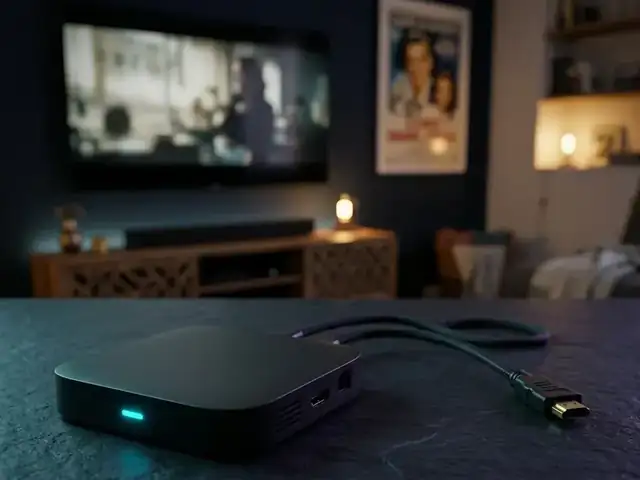
A box, not a stick. It has a network port built in, which removes the weakest link in most Firestick set-ups, and it is noticeably quicker in menus and guides. It costs roughly twice as much as a stick. If your television is within cable reach of the router and you watch a lot, it is worth it.
Older HD sticks
A Fire TV Stick HD or Lite from before 2026 runs Fire OS and will play HD channels. These models have little memory, so large channel lists and detailed guides feel sluggish. They are fine for a bedroom television.

IPTV on a television with Fire TV built in
Sets with Fire TV built in currently run Fire OS, and players can generally be installed on them in the same way as on a stick. Check the settings on your own model, since manufacturers and Amazon decide what each set allows. Sky Glass owners often add a Fire OS stick to its HDMI port instead; see Sky Glass and a Firestick.
If none of these suits you, or you would simply prefer not to depend on Amazon's direction, a Google-certified Android TV box does the same job without sideloading. Our page with IPTV boxes compared covers the alternatives.

Best IPTV apps for Firestick
What is the best IPTV player for Firestick? For most IPTV Firestick owners, TiviMate: it is the best app for IPTV on a Firestick that runs Fire OS, and the best IPTV on Firestick deserves a good player. The best free IPTV player for Firestick is IPTV Smarters Pro, and it is the usual answer when someone asks for the best free IPTV app for Firestick. Of the best free IPTV players for Firestick, it is the easiest to start with.
All of these run on Fire OS. How you get each one differs.
| App | How to install | Programme guide | Cost | Best for |
|---|---|---|---|---|
| TiviMate | Sideloaded from the developer's site | Full grid, excellent | Free tier; paid Premium | Everyday viewing on a main television |
| IPTV Smarters Pro | Sideloaded from the developer's site | Basic | Free | Beginners; simple set-up |
| OTT Navigator | Sideloaded | Very good, highly configurable | Free, with a paid tier | People who like to tinker |
| VLC | Amazon Appstore | None | Free | Testing a playlist; no sideloading |
| Kodi | Sideloaded | Good, once configured | Free | Existing Kodi users |
Start with IPTV Smarters Pro if this is your first time. It accepts every common login, its menus are plain, and it is free. The IPTV Smarters Pro walkthrough covers its settings.
Move to TiviMate when you want a proper programme guide. It is the app that makes a Firestick feel like a set-top box. Our page on TiviMate set-up and Premium explains whether its paid tier is worth having.
Use VLC if you want to avoid sideloading altogether. It is in the Amazon Appstore and will open an M3U playlist link. It shows channels as a simple list with no guide, so it is better as a test tool than as a daily player. Our page on loading an M3U playlist shows how to use a link.
Your subscription is not tied to any of them. The same login works in each, so you can try several and keep the one you like. A broader comparison is in our page on IPTV player apps.
Choosing between TiviMate, Smarters Pro, Purple Player and Smart IPTV on Fire OS
If you are following an IPTV setup guide for Firestick in the UK and comparing the main players on a Fire OS Amazon stick, match the app to how your household watches rather than chasing yearly lists:
- TiviMate: Best suited to a main living-room television where you want a traditional grid EPG, quick channel zapping and optional multi-view (requires TiviMate Premium).
- IPTV Smarters Pro: Best free starting point for new Firestick owners who want straightforward Xtream Codes sign-in for live TV, films and series.
- Purple IPTV Player: A useful alternative on Fire OS if you want a clean remote-first interface with parental PIN controls and playlist management from an official developer site.
- Smart IPTV (SIPTV): Handy if you already know its MAC-address web upload workflow from a Samsung or LG television and want the same layout on your Fire OS stick.
Remember that every one of these third-party Android .apk installs applies only to Fire OS sticks (such as the 2023 Fire TV Stick 4K Max and Fire TV Cube); newer Vega OS sticks such as the Fire TV Stick 4K Select restrict installs to Amazon's Vega catalogue.

How to get IPTV on a Firestick: step by step

How to install IPTV on a Firestick, how to download IPTV on a Firestick and how to put IPTV on a Firestick are one question in three forms. Strictly, you do not download IPTV to a Firestick at all. You download a player, then sign in to your service. Can you download IPTV on a Firestick from Amazon's own store? Yes, where the player is listed there. Otherwise the IPTV download for Firestick comes from the player's developer.
If you were looking for how to download IPTV onto a Firestick, or how to install IPTV to a Firestick, the steps below are the same. So is how to install IPTV on an Amazon Fire Stick bought this year, as long as it runs Fire OS. How to install IPTV on a Firestick in the UK is no different from anywhere else. Once you download IPTV on Firestick models that allow it, an IPTV Firestick set-up is finished in minutes.
Getting IPTV onto a Firestick takes three things: a stick that runs Fire OS, a player app and your login.
- Confirm the stick runs Fire OS in Settings, My Fire TV, About.
- Install a player. VLC is in the Amazon Appstore. TiviMate and IPTV Smarters Pro come from their developers' websites, fetched with the free Downloader app; our step-by-step Firestick install covers that method in full, and it is the same for any player.
- Open the player and sign in with the login from your IPTV service. The Fire TV app on your phone lets you type the long server address with the phone's keyboard.
- Install the programme guide and mark your favourite channels.
Two rules keep the install safe. Type the developer's real web address instead of a numeric shortcut code from a guide, because anyone can create a code and point it anywhere. And install genuine apps only: versions described as unlocked or modified have been altered by someone unknown, as our IPTV safety page explains.

The best IPTV Firestick subscription
An IPTV subscription for Firestick is the same product as one for any other device: what you buy is a login. A Fire Stick IPTV subscription from IPTV King goes into whichever player you choose. So when people compare Firestick IPTV providers, or the best IPTV streaming services for Firestick, they are really comparing services, and the stick only shows the result. An IPTV subscription Firestick owners can test first is the safer buy.
In the UK the searches read IPTV for Firestick UK, IPTV UK Firestick, IPTV on Firestick UK or Firestick IPTV UK. They all want the same thing: an IPTV Firestick UK set-up that carries British channels and holds steady at peak time.
Any service that works with the standard players will run on a Fire OS stick, so the checks are the ones you would make anywhere, with two that matter more on a stick.
- It runs in TiviMate and in IPTV Smarters Pro, the pair of players you are most likely to pick on a Firestick.
- It issues an Xtream Codes login, which is far quicker to enter with a remote than a long playlist link.
- It never asks you to install its own app from a download link. On a Firestick that is the surest sign of an unlicensed seller, and Amazon blocks many such apps.
- It lets you test first, on your own stick, at a busy time of the evening.
IPTV King works in both players with an Xtream Codes login, never asks you to install anything of ours, and can be tried before you commit. Every plan is below, and on our page to buy IPTV in the UK.
IPTV Premium UK
1 screen
Best for: One HD or Full HD television
1
screen at a time
HD and Full HD
picture quality
Term in months
You save £20.00 on 12 months
- HD and Full HD channels on one screen.
- Live TV channels
- TV guide (EPG) for the live channels
- Films and series on demand
- Catch-up TV
- Support 24 hours a day, every day
Pay by Visa, Mastercard, PayPal, Apple Pay, Google Pay or bank transfer
IPTV 4K Ultra
1 screen
Best for: A 4K television and fast broadband
1
screen at a time
Up to 4K
picture quality
Term in months
You save £20.00 on 12 months
- Everything in Premium UK, plus 4K channels, on one screen.
- Live TV channels
- TV guide (EPG) for the live channels
- Films and series on demand
- Catch-up TV
- Support 24 hours a day, every day
Pay by Visa, Mastercard, PayPal, Apple Pay, Google Pay or bank transfer
IPTV 8K Ultra Max
1 screen
Best for: The highest level we sell, on a 4K or 8K television
1
screen at a time
4K, plus some 8K
picture quality
Term in months
You save £30 on 12 months
- Everything in 4K Ultra, plus a selection of 8K content, on one screen.
- Live TV channels
- TV guide (EPG) for the live channels
- Films and series on demand
- Catch-up TV
- Support 24 hours a day, every day
Pay by Visa, Mastercard, PayPal, Apple Pay, Google Pay or bank transfer
IPTV Family Pack
2 screens
Best for: Homes that watch on 2 to 5 screens at once
2
screens at once
Up to 4K
picture quality
Screens at the same time
Term in months
You save £30 on 12 months
- 4K Ultra quality on 2 screens at the same time.
- Live TV channels
- TV guide (EPG) for the live channels
- Films and series on demand
- Catch-up TV
- Support 24 hours a day, every day
Pay by Visa, Mastercard, PayPal, Apple Pay, Google Pay or bank transfer
Not ready to choose? Try IPTV King for 30 days for £10, on your own broadband and devices.
Try 30 days for £10
What Amazon blocks, and what it does not
There is a lot of confused reporting about Amazon and IPTV, so it helps to separate three different things.
Vega OS prevents sideloading. On sticks that run it, no outside app can be installed. This is a property of the system, and it applies to every app, whatever it does.
Amazon blocks specific piracy apps. On all Fire TV devices, including those running Fire OS, Amazon now stops apps that have been identified as providing access to unlicensed content. This began with blocking those apps from opening and has extended to blocking their installation. A full-screen warning appears. The list is drawn up with the Alliance for Creativity and Entertainment, an anti-piracy coalition of broadcasters and studios, and it names particular apps.
Sideloading itself remains allowed on Fire OS. Installing a legitimate app from outside the store is still a supported feature on those devices.
What does this mean for a general-purpose player? A media player from its real developer, used with a licensed service, is not what the blocking is aimed at. The apps that have been named are ones built to deliver unlicensed streams. Sellers of unlicensed services often distribute their own re-badged apps, and those are exactly the kind that get blocked, which is one of several reasons such services keep failing; broadband providers block their streams as well, as our page on how ISP blocking works explains.
The practical lesson
Use well-known players, install them from their developers, and pair them with a service that holds its rights. That combination is the one least likely to be disrupted, on Amazon's devices or anyone else's.

Firestick settings that help IPTV
A new stick is set up to promote Amazon's own content. A few changes make it a better television device.
Match the frame rate. In Settings, Display and Sounds, Display, turn on Match Original Frame Rate. UK television runs at 50 frames per second and the stick outputs at 60 by default, which gives sport a faint, regular judder. With this setting on, players that support it can switch the output to match the channel.
Turn off autoplay. In Settings, Preferences, Featured Content, switch off video and audio autoplay. The home screen stops playing trailers, which frees memory and network capacity.
Check your signal. In Settings, Network, highlight your connection and press the play button on the remote. The stick reports the signal strength. Anything below good will cause trouble with live channels.
Keep the system updated. In Settings, My Fire TV, About, check for updates. Players are tested against current versions of Fire OS.
Clear space. In Settings, Applications, Manage Installed Applications, remove apps you do not use, and clear the cache of the ones you do. A stick with less than a gigabyte free becomes slow and unstable.
How to stop buffering on a Firestick
When channels stall on a stick, the cause is rarely the stick itself and almost never the app. It is usually the journey between the router and the back of the television. Work through these in order; the early ones fix the most.
- Restart the stick and the router. Unplug both for thirty seconds. It clears more faults than it has any right to.
- Use the HDMI extender from the box. It moves the stick away from the television's metal casing, which blocks Wi-Fi.
- Power it from the wall, not from a USB port on the television, which may not supply enough power.
- Connect to the 5 GHz band. It is faster and less crowded than 2.4 GHz.
- Fit a wired adapter. Amazon sells an Ethernet adapter for its sticks. If your router is near the television, this is the most effective fix there is.
- Raise the player's buffer. In TiviMate it is under Playback. In other players, look for buffer size or stream format.
- Test at a quiet time. If the picture is perfect at lunchtime and poor at 8pm, your broadband is slowing down at peak hours.
If none of that helps, our post with twelve IPTV buffering fixes goes deeper and includes a calculator for how much broadband speed your household needs. For a channel that will not play at all, see IPTV not working.
Firestick or Android TV box?
For a long time the Firestick won this comparison on price alone. The arrival of Vega has made it closer.
| Fire TV Stick on Fire OS | Certified Android TV or Google TV box | |
|---|---|---|
| Price | £30 to £70 | £60 to £110 |
| Installing IPTV players | Sideloaded | Direct from the Play Store |
| App updates | Manual for sideloaded apps | Automatic |
| Network port | With an adapter | Usually built in |
| Home screen | Heavy on Amazon promotion | Varies; generally lighter |
| Future of the platform | Moving to Vega OS | Stable |
| Alexa and Amazon services | Built in | Not included |
If you own a Fire OS stick, keep using it. It is a capable device and nothing about it has changed.
If you are buying new, think about where the platform is going. A stick you buy today that runs Fire OS will continue to work, but the range is shifting, and a certified Android TV box avoids the question entirely—compare verified UK models in our Nvidia Shield TV Pro and Google TV Streamer guide. For a household that wants to set something up once and not think about it again, the box is now the more comfortable choice, alongside alternatives such as IPTV on Apple TV, iPhone and iPad or watching alongside Sky Glass and Sky Stream.
IPTV Firestick problems and fixes
| Symptom | Likely cause | Fix |
|---|---|---|
| Install unknown apps is not in the menu | Developer Options hidden, or the stick runs Vega OS | Reveal Developer Options; check the system version |
| A warning screen when opening an app | Amazon has blocked that app | Use a genuine player from its developer |
| App not installed | Storage is full | Remove unused apps and try again |
| Menus are slow | Low storage or memory | Clear caches; restart; remove apps |
| The stick restarts by itself | Not enough power | Use the wall adapter |
| Channels stall in the evening only | Broadband slows at peak time | Test your speed at 8pm |
| Sound but no picture on some channels | The stick cannot decode that format | Change the decoder setting in the player |
| The remote stops responding | Batteries, or pairing lost | Replace batteries; hold the home button to re-pair |
If you would like to be sure the service runs well on your stick first, our page on testing IPTV before you pay has a checklist to follow on a busy evening. Our price list starts with the shortest term on offer.
Questions people ask
Can I get IPTV on a Firestick?
Yes, if the stick runs Fire OS. You install a player app, either from the Amazon Appstore or from the developer's website using the Downloader app, then sign in with the details from your IPTV service. Sticks that run Vega OS, including the Fire TV Stick 4K Select, can only install apps from Amazon's store, which rules out the most popular players.
What is the best Firestick for IPTV?
The Fire TV Stick 4K Max from 2023 is the best all-round choice: it runs Fire OS, has the most storage of any stick and the fastest Wi-Fi. The Fire TV Cube is better still if you want a built-in network port. Avoid the Vega OS models if you plan to use third-party players.
What is the best IPTV app for a Firestick?
TiviMate gives the best television-style experience, with a full programme guide designed for a remote. IPTV Smarters Pro is the simplest to set up and is free. Both are installed from outside the Amazon Appstore. VLC is in the Appstore and will play a playlist, though without a guide.
Is it legal to watch IPTV on a Firestick?
Yes, when the service you watch holds the rights to its channels. The Firestick is an ordinary streaming device and player apps are ordinary media players. What is unlawful is watching an unlicensed service, or buying a stick that has been pre-loaded to give access to one. You also need a TV licence to watch live channels.
Why has Amazon blocked an app on my Firestick?
Amazon now blocks apps that it has identified as giving access to unlicensed content, including apps installed from outside its store. A warning appears when you try to open one. General-purpose players from their real developers are not the intended target. Modified apps and sellers' own apps are, which is one more reason to install only genuine players.
Do I need a VPN for IPTV on a Firestick?
Not for a licensed service. A VPN does not improve picture quality and often makes it worse by adding distance to the connection. People are usually told to use one by sellers of unlicensed services, to hide the viewing from their broadband provider. Our page on VPNs and IPTV explains what a VPN does and does not do.
Which free IPTV apps work best on a Fire TV Stick?
On a Fire OS stick, IPTV Smarters Pro is the most widely used free player because it supports Xtream Codes and M3U logins with a clear layout. VLC is available directly in the Amazon Appstore if you prefer not to sideload and only need a simple M3U playlist player. TiviMate also offers a free tier for basic live channel playback before upgrading to Premium.
Does Smart IPTV work on an Amazon Firestick?
Yes, on Fire OS models. The Smart IPTV developer provides an Android APK on siptv.app that you can install with Downloader, and you upload your playlist through the developer website using the stick's MAC address. After its seven-day app trial it requires a one-off activation fee paid directly to the developer, separate from your IPTV subscription.
Related guides
 IPTV Smarters Pro Firestick: install it safely, with or without a Downloader codeA five-minute install for Fire OS sticks, how Downloader codes really work, and fixes for every install error.17 min read
 TiviMate IPTV player: how to set it up and get the best from itInstall it, add your service, set the buffer and guide properly, and decide whether Premium is worth it.16 min read
 IPTV box: the best devices for IPTV in the UKSticks, boxes, Apple TV and Smart TVs compared for IPTV, with the specifications that matter and the boxes to avoid.17 min read
 IPTV buffering: why it happens and how to stop itFind the cause in five minutes, work out the speed you need, and apply twelve fixes in the order most likely to work.20 min read