

The short version
- There is no special IPTV box. Any device that runs a player app will do, and you may already own one.
- A Google-certified Android TV box with a network port is the most flexible choice. A Fire OS stick is the cheapest good one.
- Amazon's newest Fire TV Sticks run Vega OS and cannot install the popular IPTV players. Check before you buy.
- Avoid unbranded Android boxes and anything sold pre-loaded. Some carry malware from the factory.

What is an IPTV box?
An IP TV box, an IPTV streaming box and an IPTV streaming device are three names for one thing. IPTV streaming devices differ in shape, from sticks to set-top boxes, but they all do the same job.
You will also see it called an IPTV decoder, a set-top box or an IPTV streamer. There is no IPTV King box to buy: our service runs on devices you already own or can buy anywhere.
The phrase suggests a particular piece of equipment, like a satellite receiver. In reality there is no such thing. An IPTV box is simply whatever device you use to run a player app and put the picture on your television.
That can be any of the following.
- A streaming stick, such as an Amazon Fire TV Stick.
- A small box that runs Android TV or Google TV.
- An Apple TV.
- A Smart TV, using its own built-in apps.
- A dedicated set-top box designed around IPTV, such as those made by Formuler.
- A phone, tablet, laptop or games console.
The device does not supply any television. It runs the app, and the app plays what your IPTV service sends. Because of that, the choice of device comes down to three practical questions: which player apps will it run, how well does it connect to your network, and how comfortable is it to use from the sofa.
One consequence is worth stating plainly. If someone offers to sell you an IPTV box with thousands of channels already on it, they are not selling a device. They are selling an unlicensed service inside a device, and we will come back to why that is a bad purchase.
If you have not yet chosen a player app, our comparison of the best IPTV apps is the companion to this page. The app and the device are best chosen together.

The best IPTV box for most people
People ask this in a dozen ways: the best streaming device for IPTV, the best IPTV streaming device, the best IPTV streaming box, the best streaming box for IPTV, the best device for IPTV streaming. The answer does not change with the wording. The best streaming devices for IPTV are the ones with a quick processor, a good choice of players and a steady network connection.
The top rated boxes in independent reviews tend to be the same few certified models, and the table below explains which suits which household.
If you want a recommendation without the reasoning, here it is, by situation.
| Your situation | What to buy | Why |
|---|---|---|
| You want the most flexible, future-proof set-up | A Google-certified Android TV or Google TV box with a network port | Players install from the Play Store; wired connection; regular updates |
| You want to spend as little as possible | A Fire TV Stick that runs Fire OS | Cheap, capable and widely supported |
| Your router is far from the television | Any device, plus a wired or mesh link | The connection matters more than the box |
| You already own Apple devices | An Apple TV 4K | Fast, quiet and well supported, with a smaller choice of players |
| You do not want another remote | Your Smart TV's own apps | Nothing to plug in, but fewer and weaker players |
| You want a box built around live TV | A Formuler box | A remote and interface designed for channels |
Two changes in the last year have shifted this advice, and older guides do not reflect them.
First, Amazon has begun moving its Fire TV Sticks to a new operating system, Vega OS, which cannot install apps from outside Amazon's own store. The players most people use on a Firestick are not in that store. A stick that runs the older Fire OS still works well; a new one may not.
Second, cheap unbranded Android boxes have turned out to be a real security risk, with millions found to contain malware from the factory.
Both point the same way: towards certified devices from known makers.

IPTV devices compared
| Device type | Player app choice | Wired network | Typical price | Verdict |
|---|---|---|---|---|
| Certified Android TV or Google TV box | Excellent, from the Play Store | Usually built in | £60 to £110 | The best all-round choice |
| Fire TV Stick on Fire OS | Very good, with some apps sideloaded | With an adapter | £30 to £70 | The best budget choice |
| Fire TV Stick on Vega OS | Limited to Amazon's store | With an adapter | £40 to £70 | Not recommended for IPTV |
| Premium Android TV box | Excellent | Built in | £150 to £200 | For enthusiasts; more than most need |
| Apple TV 4K | Good, mostly paid apps | On some models | £150 to £170 | Excellent hardware, fewer players |
| Smart TV apps | Limited, varies by brand | Yes | Nothing extra | Convenient, with compromises |
| Dedicated IPTV set-top box | Its own app, plus Android apps | Built in | £100 to £180 | Good for traditional channel surfing |
| Unbranded Android box | Unpredictable | Usually | £25 to £60 | Avoid |
Prices are typical UK figures at the time of writing and move with sales.

The service for your IPTV box: IPTV King plans
A box needs a service to show anything. A IPTV King login works on the recommended devices in the table above through a player app, and it can sit on every one of them, with the plan fixing how many run together. You can start from £18.99 for 3 months without signing anything; the full list is on our IPTV subscription UK page.
IPTV Premium UK
1 screen
Best for: One HD or Full HD television
1
screen at a time
HD and Full HD
picture quality
Term in months
You save £20.00 on 12 months
- HD and Full HD channels on one screen.
- Live TV channels
- TV guide (EPG) for the live channels
- Films and series on demand
- Catch-up TV
- Support 24 hours a day, every day
Pay by Visa, Mastercard, PayPal, Apple Pay, Google Pay or bank transfer
IPTV 4K Ultra
1 screen
Best for: A 4K television and fast broadband
1
screen at a time
Up to 4K
picture quality
Term in months
You save £20.00 on 12 months
- Everything in Premium UK, plus 4K channels, on one screen.
- Live TV channels
- TV guide (EPG) for the live channels
- Films and series on demand
- Catch-up TV
- Support 24 hours a day, every day
Pay by Visa, Mastercard, PayPal, Apple Pay, Google Pay or bank transfer
IPTV 8K Ultra Max
1 screen
Best for: The highest level we sell, on a 4K or 8K television
1
screen at a time
4K, plus some 8K
picture quality
Term in months
You save £30 on 12 months
- Everything in 4K Ultra, plus a selection of 8K content, on one screen.
- Live TV channels
- TV guide (EPG) for the live channels
- Films and series on demand
- Catch-up TV
- Support 24 hours a day, every day
Pay by Visa, Mastercard, PayPal, Apple Pay, Google Pay or bank transfer
IPTV Family Pack
2 screens
Best for: Homes that watch on 2 to 5 screens at once
2
screens at once
Up to 4K
picture quality
Screens at the same time
Term in months
You save £30 on 12 months
- 4K Ultra quality on 2 screens at the same time.
- Live TV channels
- TV guide (EPG) for the live channels
- Films and series on demand
- Catch-up TV
- Support 24 hours a day, every day
Pay by Visa, Mastercard, PayPal, Apple Pay, Google Pay or bank transfer
Not ready to choose? Try IPTV King for 30 days for £10, on your own broadband and devices.
Try 30 days for £10
Best Android TV box for IPTV: what to look for
Android boxes for IPTV fall into two groups: certified ones, which have the Google Play Store, and uncertified ones, which do not. The best Android boxes for IPTV all come from the first group.
- Nvidia Shield TV. Our Nvidia Shield and Google TV Streamer IPTV guide compares the Pro and standard models, Gigabit Ethernet and AI upscaling in full.
- Google TV Streamer. Works directly with Play Store players such as TiviMate and includes a wired Ethernet port out of the box.
- On a budget. The best cheap Android box for IPTV is a certified Google TV stick, not an unbranded box at the same price.
Whether you call it the best Android streaming box, the best streaming box Android offers or the best Android box for streaming IPTV, certification is the test. It is also what makes the best TV box for streaming everything else you watch.
A good Android TV box is the closest thing to an ideal IPTV device. The players are in the Google Play Store, so there is nothing to sideload. Most boxes have a network port. And the system is updated by Google and the manufacturer. Once you have one, our page on IPTV apps for Android compares the players to install.
The single most important thing to check is certification. There are two kinds of Android box, and they look alike on a shop page.
Certified devices run Android TV or Google TV, the versions of Android that Google makes for televisions. They have the Play Store, they are checked by Google, and they receive security protection through Play Protect.
Uncertified devices run a version of ordinary phone Android adapted by the manufacturer. They may or may not have a working Play Store, they receive few or no updates, and Google has not checked them.
Buy certified. You can confirm it on the device by opening the Play Store, going to its settings and looking for the Play Protect certification status.

Certified boxes worth considering
Google TV Streamer. Google's own box. It has a network port, generous storage and a fast, clean interface, and it will be supported for years. It usually sells for around £100.
Xiaomi TV Box S. A compact, inexpensive Google TV box that is widely available in the UK. It is a sound choice when the budget is tight and you want the Play Store.
Nvidia Shield TV. The enthusiast's choice. It is several years old and still the most powerful, with the longest record of software updates of any streaming device. It costs considerably more than the others, and for IPTV alone it is more than you need.
Televisions with Google TV built in. Many sets from Sony, Philips, TCL and others run Google TV. If yours does, you already own a certified Android device and may not need a box at all.
What an Android IPTV box needs
- Memory: at least 2 GB. More helps when the channel list is long.
- Storage: 8 GB is the minimum; 16 GB or more is comfortable.
- Network: a wired port if your router is in reach; otherwise dual-band Wi-Fi.
- Video formats: support for HEVC, which nearly all current devices have, and ideally AV1.
- Certification: Android TV or Google TV, with Play Protect.
On a certified box, installing a player takes a minute. Search the Play Store for TiviMate or IPTV Smarters Pro, install, and sign in.

Fire TV Sticks
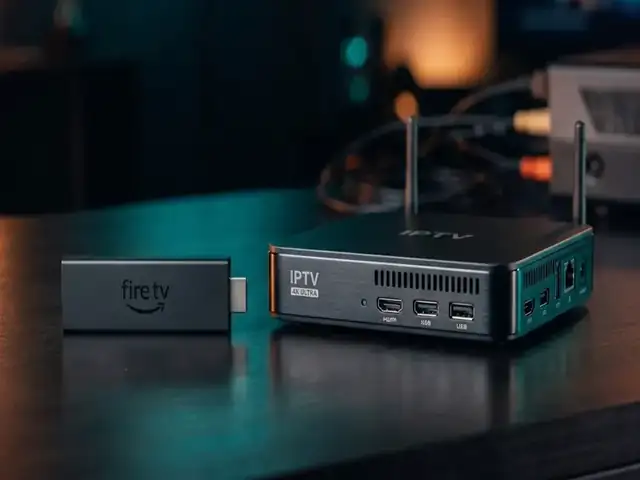
For years the Fire TV Stick was the default IPTV device in British living rooms, and a stick that runs Fire OS is still a good, inexpensive option. Player apps that are not in Amazon's store can be installed in about five minutes with a helper app.
What has changed is that you can no longer assume a Fire TV Stick runs Fire OS. Amazon's newest models, beginning with the Fire TV Stick 4K Select, run Vega OS. Vega does not run Android apps and has no way to install apps from elsewhere, so the usual players cannot be used on it. Amazon has indicated that its future sticks will follow.
That makes it essential to check the exact model before buying, and to confirm the system on a stick you already own. Our page on IPTV on a Firestick lists the models, shows where to find the system version, and covers set-up and performance.
Firestick alternatives for IPTV
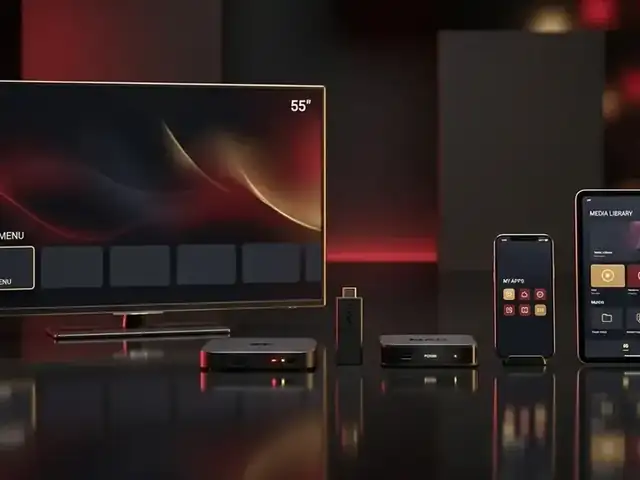
The best Firestick alternative for IPTV is a certified Google TV device: it runs the same players without sideloading.
More people are now looking for an alternative to the Firestick for IPTV, usually for one of three reasons: they have ended up with a Vega model, they are tired of sideloading, or they want a wired connection without buying an adapter.
| Alternative | Why choose it | Trade-off |
|---|---|---|
| Google TV Streamer | Play Store, network port, long support | Costs more than a stick |
| Xiaomi TV Box S | Play Store at a stick-like price | Less storage; plainer remote |
| Nvidia Shield TV | The most powerful and longest supported | The most expensive |
| Apple TV 4K | Fast and polished | Fewer players; no TiviMate |
| A television with Google TV | Nothing extra to buy | Depends on the television you own |
For someone moving from a Firestick, a certified Google TV box is the most natural step. The players you know are available, your login works exactly as before, and nothing needs to be sideloaded. Set-up takes ten minutes.

Smart TVs: using the television itself
A Smart TV can often run an IPTV player without any extra hardware, which is appealing: one remote, one power socket, nothing dangling from the back. Sky Glass is the exception: it cannot install players at all, and our page on Sky Glass IPTV shows the stick method that works.
How well it works depends on the brand. Televisions that run Google TV behave like a certified Android box. Samsung and LG sets use their own systems, with their own, smaller selection of players, several of which charge an activation fee and load playlists through a web page instead of a login screen. Sets with Fire TV built in currently run Fire OS.
Our page on IPTV on a Smart TV goes through each brand and the apps available on it. As a general rule, if your television's own apps feel limiting, a stick or box in a spare HDMI port solves the problem for less than the cost of a takeaway for four.

Apple TV, iPhone and iPad
The Apple TV 4K is superb hardware: fast, silent and supported for many years. Its weakness for IPTV is the App Store, which has fewer players than Android, most of them paid, and none of the Android favourites.
If your household already runs on Apple devices, it is still a very good choice, and some players keep your settings in step across Apple TV, iPhone and iPad. Our page on IPTV on Apple TV and iPhone covers the apps and set-up.
Dedicated IPTV set-top boxes: Formuler and MAG
Formuler boxes use their own software, the MYTVOnline IPTV player, which comes installed on the box. Treat any "MYTVOnline+ IPTV player APK" offered for download elsewhere with care, and take the app only from the store on the box.
Two families of device are designed specifically around live television. Be wary of copies of Formuler's MyTVOnline player offered as an APK for other devices: install players only from an official store or the developer.
Formuler boxes run Android with the company's own player, MyTVOnline, built in. The remote has channel and guide buttons like a traditional set-top box, and the interface is organised around channels instead of apps. People who miss the feel of a cable or satellite box often like them. Because they run Android, other players can be installed too.
MAG boxes, made by Infomir, are a different idea. They do not run Android apps. They connect to a service through a portal address, and the service registers the box's hardware identifier. They are simple and stable, but inflexible: you depend on your service supporting portal logins, and there is no choice of player.
Neither is necessary. A general-purpose Android TV box running a good player does the same job and can do everything else as well. Dedicated boxes suit people who want a television-only device with a channel-focused remote. Our page on MAG boxes, Roku, Xbox and Chromecast explains how each is set up.

The boxes to avoid
An IPTV box sold "fully loaded" is first on the list.
Two kinds of device are not worth buying at any price.
Unbranded, uncertified Android boxes
Online marketplaces are full of anonymous Android boxes at very low prices, often with impressive-sounding specifications. In 2025 the FBI issued a public warning about a malware operation known as BADBOX 2.0 (our article on IPTV safety explains the warning signs), which had compromised millions of such devices, in many cases before they left the factory. Infected boxes were used, without their owners' knowledge, as part of a criminal network.
The devices involved were uncertified ones from obscure makers: exactly the cheap boxes that are marketed for streaming. The advice from investigators was to avoid unbranded devices, and to be especially careful of boxes advertised as unlocked or offering free content.
A box like this sits on your home network next to your phones and laptops. A saving of thirty pounds is not worth that.
Pre-loaded boxes and sticks
They are usually advertised as "fully loaded", meaning apps have been added that connect to unlicensed streams.
The second kind is a legitimate device that someone has modified and resold: a stick or box loaded with apps that give access to paid channels without the rights to them. In the UK these are often called dodgy boxes or dodgy sticks.
- Selling them is a crime. People are prosecuted for it regularly.
- Using them to watch paid content is unlawful.
- You cannot know what else has been installed. The person who added the apps had full control of the device before you did.
- They stop working. Amazon now blocks apps of this kind on its devices, and broadband providers block the streams.
A device and a service are separate purchases. Buy the device new from a reputable retailer, and choose your service yourself. Our page on UK IPTV providers explains how to tell a legitimate one from the rest.

The specifications that matter, and the ones that do not
Product pages for streaming devices are crowded with numbers. Only a few affect how well IPTV plays.
| Specification | Does it matter? | What to look for |
|---|---|---|
| Operating system and certification | Yes, most of all | Android TV, Google TV, Fire OS or tvOS |
| Memory | Yes | 2 GB or more |
| Network connection | Yes | A wired port, or dual-band Wi-Fi |
| Storage | Somewhat | 8 GB or more; recording needs external storage |
| HEVC and AV1 support | Yes | Standard on current devices |
| Frame rate matching | Yes, for sport | Lets the device match the 50 frames per second of UK television |
| 4K and HDR | Only if your television and channels support them | Nice to have |
| 8K, or very large processor numbers | No | Marketing on cheap boxes |
| A remote with number buttons | A matter of taste | Useful if you like typing channel numbers |
Two of these are often overlooked.
Frame rate matching is why some devices show sport more smoothly than others. UK channels are broadcast at 50 frames per second. A device that outputs at 60 has to convert, which produces a slight, regular judder. Better devices and players can switch to match the channel.
Updates do not appear in a specification table at all. A device that is updated for five years is worth more than a faster one abandoned after one. Google, Amazon, Apple and Nvidia have good records. Anonymous makers have none.

Wired or wireless?
After the choice of device, how it connects to your router is the biggest influence on picture quality. Live television cannot buffer far ahead, so it shows up a weak connection sooner than any other kind of streaming.
A network cable is best. It is immune to interference and to whatever the neighbours are doing. A 4K stream needs about 25 Mbps, so even the modest network ports on inexpensive boxes are more than fast enough.
If a cable is impractical, use the 5 GHz Wi-Fi band and keep the device in clear sight of the router where possible. A stick hidden behind a large television is in the worst possible position.
If the router is far away, a mesh Wi-Fi system or a pair of powerline adapters, which carry the network over your electrical wiring, will bring a strong connection to the television.
Our page on fixing IPTV buffering has a calculator for the speed your home needs.

Setting up a new box for IPTV

Whichever device you choose, the first half hour is the same.
- Connect and update. Plug the device in, connect it to your network, and install any system updates it offers before doing anything else.
- Install a player. Use the device's app store. On a Fire OS stick, some players are sideloaded.
- Sign in to your service. Enter the login details from your provider.
- Set the display. Check that the device is outputting at your television's resolution, and turn on frame rate matching if it is offered.
- Test at a busy time. Watch a live channel in the evening before deciding that everything is working.
If you are starting from nothing, our post on setting up IPTV step by step covers each step in detail.

IPTV box set-up, device by device
 IPTV Firestick: which model to buy, which apps to use and how to set it upWhich Fire TV models still run IPTV players, the best apps, set-up and a stable picture.17 min read
 IPTV Smart TV: the best apps for Samsung, LG and other televisionsWhich players work on each brand of television, how to load them, and when a stick is the better answer.18 min read
 IPTV on Apple TV, iPhone and iPad: the best apps and how to set them upThe App Store players worth using, how to add your login, and the Apple TV settings that make sport look right.17 min read
 MAG box IPTV, Roku, Xbox, PlayStation and Chromecast: what works on eachWhat works on MAG boxes, Roku, Xbox, PlayStation and Chromecast, the workarounds, and when a cheap stick is the better answer.15 min read
 Sky Glass IPTV: how to watch IPTV on Sky Glass and Sky StreamWhy Sky Glass and Sky Stream cannot install IPTV apps, and the stick-in-the-HDMI-port method that works.15 min read
 Nvidia Shield IPTV and Google TV Streamer: choosing a certified Android TV box in the UKVerified UK comparison of Nvidia Shield TV Pro, Google TV Streamer (4K), Chromecast with Google TV and Xiaomi TV Box S (3rd Gen) for IPTV.12 min read
Not sure the service will suit your set-up? Read how to test IPTV before you pay, or return to the IPTV King home page for an overview of how everything fits together.
Questions people ask
What is the best IPTV box?
For most people it is a Google-certified Android TV or Google TV box with a wired network port, because it offers the widest choice of player apps from an official store and the most stable connection. A Fire TV Stick that runs Fire OS is the best low-cost choice. The right pick depends on your budget and on whether your router is near the television.
Do I need a special box for IPTV?
No. There is no such thing as a box that is required for IPTV. Any device that can run a player app will do, including a streaming stick, an Android TV box, an Apple TV, many Smart TVs, a phone or a computer. Be wary of anything sold as a special IPTV box with channels already loaded.
Is an Android box better than a Firestick for IPTV?
A certified Android TV box has two advantages: player apps install directly from the Google Play Store with no workarounds, and most boxes have a network port. A Fire OS stick is cheaper and perfectly capable. With Amazon moving its new sticks to a system that cannot install outside apps, a certified Android box is now the safer long-term choice.
How much does an IPTV box cost?
A streaming stick typically costs between £30 and £70, a good Android TV box between £60 and £110, and premium boxes between £150 and £200. Prices move with sales, so treat these as guides. You do not need the most expensive option: any certified device from the last few years plays HD and 4K streams comfortably.
Can I watch IPTV on a games console?
On an Xbox, yes: its app store includes media players that can open an IPTV playlist. On a PlayStation the options are far more limited, because its store has no general-purpose IPTV players. A console also uses much more electricity than a streaming stick, so it is a poor choice for everyday television. See IPTV on Xbox, PlayStation and Roku.
Are IPTV boxes legal in the UK?
The devices are legal. A streaming stick or Android TV box is ordinary consumer electronics. What is illegal is selling a device set up to give access to channels without the rights to them, and using it to watch them. Our page on UK IPTV law explains the detail.
Related guides
- IPTV Firestick: which model to buy, which apps to use and how to set it upWhich Fire TV models still run IPTV players, the best apps, set-up and a stable picture.17 min read
- IPTV Smart TV: the best apps for Samsung, LG and other televisionsWhich players work on each brand of television, how to load them, and when a stick is the better answer.18 min read
- IPTV on Apple TV, iPhone and iPad: the best apps and how to set them upThe App Store players worth using, how to add your login, and the Apple TV settings that make sport look right.17 min read
 IPTV player apps: which one to use on each deviceThe main IPTV apps compared by device, with what each does well and how to install it safely.17 min read