

Family IPTV in brief
- The Family Pack plays on 2, 3, 4 or 5 screens at the same time, at 4K Ultra quality, under one login.
- A connection is a screen that is playing. Install the login on as many devices as you like; only the ones playing count.
- Each extra screen on the Family Pack costs less than a separate one-screen plan. The tables below do the sums.
- Every screen needs its own share of broadband: about 10 Mbps for Full HD and 25 Mbps for 4K.

What is family IPTV?
Family IPTV is a subscription that more than one person can watch at the same moment. (If IPTV itself is new to you, see what IPTV means.) One login, installed on every television, tablet and phone in the house, with enough room for several of them to play different channels at once.
It solves the most common complaint about single-screen plans. A single connection lets you sign in everywhere and watch in one place: a second person pressing play upstairs cuts off whoever was watching downstairs. A family IPTV plan simply raises that limit.
Traditional television solved the same problem with extra boxes. A second room meant a second box, a monthly add-on and often an engineer. With IPTV there is no box to rent. Any device with a player app can watch, and the plan decides how many can watch together.
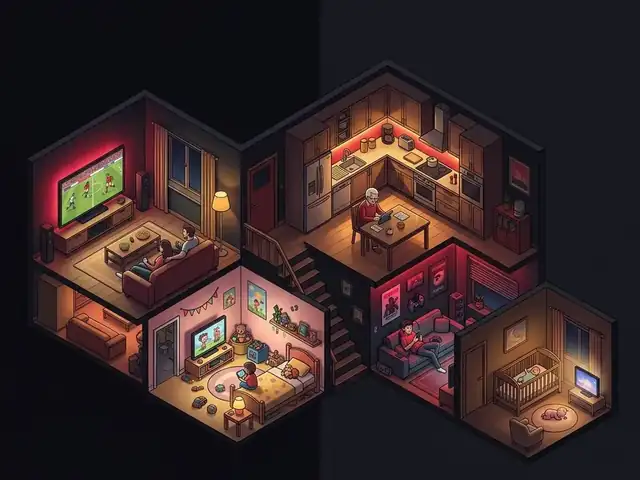
The IPTV King Family Pack
The IPTV King Family Pack has the picture quality of our IPTV 4K Ultra plan on every screen, and comes in four sizes: two, three, four or five screens at once. Like every plan, it is sold by the term, and it is the only plan that can also be taken for 36 months.
| Screens | 3 months | 6 months | 12 months | 24 months | 36 months |
|---|---|---|---|---|---|
| 2 screens | Was £39.99£29.99£10.00 a month | Was £74.99£52.99£8.83 a month | Was £109.99£79.99£6.67 a month | Was £169.99£119.99£5.00 a month | Was £224.99£159.99£4.44 a month |
| 3 screens | Was £54.99£39.99£13.33 a month | Was £94.99£67.99£11.33 a month | Was £139.99£99.99£8.33 a month | Was £209.99£149.99£6.25 a month | Was £279.99£199.99£5.56 a month |
| 4 screens | Was £64.99£47.99£16.00 a month | Was £109.99£79.99£13.33 a month | Was £169.99£119.99£10.00 a month | Was £249.99£179.99£7.50 a month | Was £334.99£239.99£6.67 a month |
| 5 screens | Was £74.99£54.99£18.33 a month | Was £124.99£89.99£15.00 a month | Was £194.99£139.99£11.67 a month | Was £294.99£209.99£8.75 a month | Was £389.99£279.99£7.78 a month |
Every Family Pack includes the same service as our other plans.
- Live TV channels
- TV guide (EPG) for the live channels
- Films and series on demand
- Catch-up TV
The longer the term, the less each month costs, whichever size you choose. Our plans and prices page puts all the plans next to each other, one-screen ones included.

What a screen costs on the IPTV Family Pack
The fair way to judge a multi-screen plan is the price of each screen. The table below takes the twelve-month Family Pack in each size, works out what each screen costs per month, and compares it with buying the same number of separate one-screen plans at the same picture quality.
| Screens | IPTV Family Pack, 12 months | Per screen, per month | Separate IPTV 4K Ultra plans | Difference |
|---|---|---|---|---|
| 2 screens | £79.99 | £3.33 | £109.98 | £29.99 less |
| 3 screens | £99.99 | £2.78 | £164.97 | £64.98 less |
| 4 screens | £119.99 | £2.50 | £219.96 | £99.97 less |
| 5 screens | £139.99 | £2.33 | £274.95 | £134.96 less |

Two things stand out. Every extra screen costs less than a separate plan would, and the saving grows with the size of the pack. And the cost per screen keeps falling as you add screens, so a household that is unsure between two sizes is often better off with the larger one.
There is a practical advantage too. One Family Pack means one term, one renewal date and one login to keep safe, instead of several subscriptions running out on different days.

Connections explained: what "2 connections" really means
Most confusion about multi-screen IPTV comes from one word. A connection is not a device and not a room. It is one stream being played at a given moment. That is the meaning of connections on any IPTV service, whichever provider you use.
| What is happening at home | Connections in use |
|---|---|
| The login is installed on six devices, none playing | 0 |
| One television showing a channel | 1 |
| Two televisions showing different channels | 2 |
| Two televisions showing the same channel | 2 |
| One television and a phone in the garden | 2 |
| One television, plus a recording running on another device | 2 |
| A player showing four channels in a grid | 4 |
| A television paused on a channel | 1 |
So a plan with 2 connections, or a Family Pack for two screens, is a plan for two streams at once. A plan with 5 connections allows five. When one more device starts than the plan allows, one of the streams stops, or neither plays properly. It looks like a fault. It is the limit working.
The maximum number of connections, sometimes written max connections, is shown on the account screen of most players. In IPTV Smarters Pro it is under Account info; in TiviMate it appears with the playlist details.
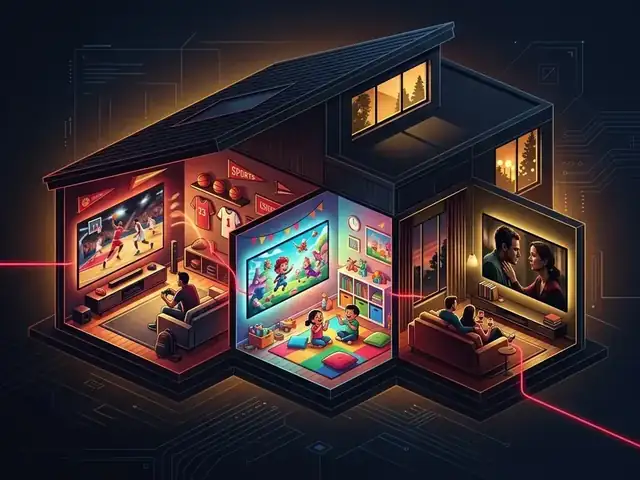
IPTV with multiple connections: 2, 3, 4 or 5 devices at once
Can I use IPTV on multiple devices? Yes, in two different senses, and the difference decides which plan you need. Any plan can be installed on several devices. Only a plan with more than one connection can play on them together. So if your real question is "can I watch IPTV on multiple devices at the same time", the answer is family IPTV, and here that means the Family Pack.
Each size of the pack matches a search people make.
- IPTV on 2 devices. The smallest pack is IPTV with 2 connections. An IPTV subscription for 2 devices suits a couple, or a living room and a bedroom. People also call it IPTV 2 devices or a two-screen plan.
- IPTV for 3 devices. IPTV with 3 connections covers two adults and a teenager. Search for IPTV 3 connections or IPTV 3 devices and this is the size you mean.
- Four screens. Family IPTV for a full house: the main television, two bedrooms and a tablet.
- IPTV with 5 connections. The largest pack. IPTV 5 connections, or IPTV 5 devices, is also our IPTV max connections figure: five streams is the most we sell on one login.
IPTV multiple streams and IPTV multi room mean the same thing in practice: one IPTV subscription on multiple devices, each playing its own channel in its own room. An IPTV subscription for multiple devices is cheaper than separate plans too, as the table higher up this page shows.
What makes the best IPTV for multiple devices is not the biggest number in the advert. An honest IPTV provider sells multiple devices as a fixed figure, because every stream uses real server capacity. The best IPTV with multiple connections is the one where all of them hold a steady picture at 8pm, when every screen in the house is on. IPTV multiple connections that only work one at a time are not worth the saving.
Can I use my IPTV on multiple devices if I have a one-screen plan? You can install it on all of them, but one plays at a time. IPTV on more than one device at once needs a pack, and you can move up to the Family Pack when your term ends.

Family IPTV by size: how many screens does your household need?
Count the busiest moment of your week, not the average evening. A Saturday afternoon with sport in the living room, a film in the bedroom and a phone in the kitchen is three screens, whatever happens on a quiet Tuesday.
| Household | Busiest moment | Family Pack to choose |
|---|---|---|
| Couple who sometimes watch apart | Two screens | 2 screens |
| Couple who record a lot | Two screens and a recording | 3 screens |
| Family with one or two children | Three screens | 3 screens |
| Family with teenagers | Four screens, one of them a phone | 4 screens |
| Shared house of four or five adults | One screen each | 4 or 5 screens |
| One person, one television | One screen | A one-screen plan instead |
If you live alone or watch on one television, the Family Pack is more than you need: our one-screen plans, IPTV Premium UK, IPTV 4K Ultra and IPTV 8K Ultra Max, are on the plans and prices page.
A subscription is for one household, in the same way that one TV licence covers live viewing on any device at your address. Everyone who lives there can use it; sharing the login with friends or relatives elsewhere is not what a family plan is for, and it uses up the screens you are paying for.

How to watch IPTV on two devices at once
Setting up a second, third or fifth screen takes a few minutes per device, and nothing about the first screen changes.
- Install a player on each device. Any of the standard players works. They do not all have to be the same: TiviMate on the living-room box and IPTV Smarters Pro on an Android phone or tablet is a common pairing. On a Fire TV Stick, the Downloader method installs IPTV Smarters Pro.
- Enter the same login on each one. The server address, username and password are identical everywhere.
- Choose a channel on each device. Each plays independently. Changing channel on one has no effect on the others.
- Check the account screen if a stream stops. If one device stops when another starts, more devices are playing than your plan allows.
Our comparison of IPTV player apps covers the players for each kind of device, and our Xtream Codes page shows where each part of the login goes.

Parental controls and personal favourites
Sharing one login does not mean sharing one set of settings. Two features make a family plan work for everyone in the house.
Parental controls. Most players can lock chosen channel groups behind a PIN or password, so younger viewers only see what you allow. IPTV Smarters Pro has a parental control setting that locks categories, and TiviMate can lock or hide groups with a PIN. The lock lives in the player on each device, so set it on the devices children use and leave the others open.
Favourites on each device. In most players your favourites list is stored on the device, not in the account. Each person can keep their own short list of channels on their own television or phone, and nobody else's choices get in the way.
Hiding what nobody watches. Players also let you hide whole groups of channels. A bedroom set that only ever shows children's channels and films can have everything else hidden, which makes it simpler to use as well as safer.
A few household rules help too. Agree which screens matter most at busy times, so that a forgotten stream on a tablet does not stop the main television. Turn off playback on devices nobody is watching: a paused channel still uses a connection. And keep the login itself somewhere private, because anyone who has it can use one of your screens; our post on keeping an IPTV account safe has more on securing it.

Multi-screen IPTV and your broadband
Every screen that is playing needs its own share of your connection. Allow for the busiest moment, with some spare for everything else in the house.

| Screens playing at once | In HD | In Full HD | In 4K |
|---|---|---|---|
| 2 | 12 Mbps | 20 Mbps | 50 Mbps |
| 3 | 18 Mbps | 30 Mbps | 75 Mbps |
| 4 | 24 Mbps | 40 Mbps | 100 Mbps |
| 5 | 30 Mbps | 50 Mbps | 125 Mbps |
Most UK full fibre and cable connections handle four or five Full HD streams comfortably, and Ofcom's broadband checker shows the speeds available at your address. Part-fibre lines can struggle in the evening, when demand across the network is highest. If yours does, watch in HD on the smaller screens and keep Full HD or 4K for the main television.
Wi-Fi is usually the weak link, not the line. A network cable to the main television device frees Wi-Fi capacity for everyone else. The calculator on our IPTV buffering page works out what your household needs. A VPN on the router slows every screen at once; our page on VPNs and IPTV speed explains why.
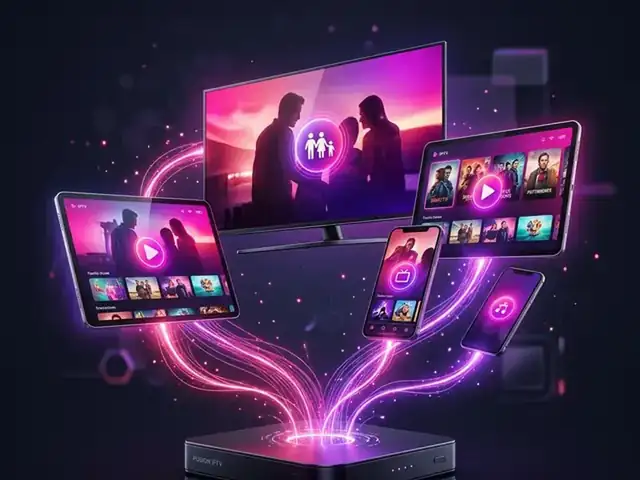
Multiroom IPTV without extra boxes
Multiroom is the satellite and cable word for watching in more than one room. With those services it usually means an extra box in each room and a monthly charge for each one.
IPTV multiroom works differently. There is no second box to rent: a streaming stick, a Smart TV, a tablet or a phone does the job, and many homes already have enough of them. The only thing that changes from one screen to several is the plan.
| Family Pack | Traditional multiroom | |
|---|---|---|
| Equipment in each room | Any device with a player | The provider's box |
| Installation | None | Often an engineer |
| Cost of an extra room | Choose a larger pack | A box plus a monthly add-on |
| Moving a screen to another room | Pick up the device | Move or rewire the box |
| Picture quality | 4K Ultra on every screen | Depends on the box |
For devices that cannot run a player themselves, such as Sky Glass, a stick in an HDMI port adds that room in minutes. Our page on adding a stick to Sky Glass shows how.
Unlimited connections: why we do not sell them
Some sellers advertise IPTV with unlimited connections. It sounds generous. It is worth thinking about what it means.
A licensed service pays for its channels and its capacity according to how much is watched. A plan with no limit on simultaneous streams is a plan with no limit on cost, which no service can sustain at a fixed price. In practice, unlimited connections usually means one of two things: a limit that is not mentioned until it is enforced, or a service that is not paying for what it carries.
We would rather tell you exactly how many screens you are buying. The Family Pack goes up to five at once, which covers almost every household, and the price of each size is published in full. Our page on picking the best IPTV service lists other claims worth checking.

Recording and multi-view use screens too
Two features quietly use connections, and they are the most common reason a household runs out.
Recording. A recording looks exactly like someone watching. If you record one channel while watching another, that is two connections. Our article on IPTV recording explains how recording works on each device, a home server such as Jellyfin or Plex counts each of its recordings as a connection too, and our guide to watching two live sports matches in multi-view shows how split-screen viewing draws one connection per match window.
Multi-view. Some players can show two or four channels at once in a grid, which is popular during big sporting weekends. Each tile is a separate stream, so a four-channel grid uses four connections on its own.
If either is part of how you watch, add it to your count before choosing a size.

Which devices work with the IPTV Family Pack
Any device that runs a standard player app works, and the screens do not have to be the same kind.
| Device | Set-up page |
|---|---|
| Fire TV Stick running Fire OS | IPTV on a Firestick |
| Android TV and Google TV boxes | Android TV boxes |
| Samsung, LG and other Smart TVs, with the SIPTV player or a similar one | Smart TV set-up for IPTV |
| Sky Glass and Sky Stream, with a stick | Sky Glass IPTV set-up |
| Apple TV, iPhone and iPad | Apple TV and iPhone players |
| Windows PC and Mac | IPTV on Windows and Mac |
| MAG box, Roku, Xbox or Chromecast | MAG, Roku, Xbox and Chromecast set-up |
A 4K picture on a given screen needs a 4K device and a 4K television as well as a 4K channel. Smaller screens, such as phones and bedroom sets, look excellent in Full HD and use less broadband. Our page on Ultra HD IPTV explains when the higher quality is worth it.

Choosing a term for your family IPTV plan
The Family Pack is sold for 3, 6, 12, 24 or 36 months. The same advice applies as for any plan.
- New to IPTV? Start with the trial, then a short term, and check that every screen plays smoothly at your busiest time.
- Settled household? Twelve months or longer costs much less per month.
- Planning to move or change broadband? Choose a term that ends around the change.
The 36-month term gives the lowest monthly cost per screen of anything we sell. It suits households that have already completed a shorter term and know the service works for them, not a first purchase.

Moving up from one screen to the Family Pack
Most households come to the Family Pack from a one-screen plan, when a second television or a teenager's room joins the list. Moving up is simple, because nothing about your devices changes.
- Count the screens that play at the same moment, not the devices you own. That number is the pack size you need.
- Check your broadband for that many streams at once, using the figures above: about 10 Mbps for each Full HD screen and 25 Mbps for each 4K one.
- Order the pack when your current term ends, or ask us in the chat how the time left on your plan is handled.
- Enter the new login on each device. The player apps stay as they are; only the login changes.
If you are not sure how your connection copes, the IPTV trial lets you test the service on your own broadband first. Our pages on TiviMate and IPTV Smarters Pro cover the two players most households put on each screen, and both remember the login once it is entered.

How to order the IPTV Family Pack
Choose the size and the term on the plans and prices page and press the order button. WhatsApp opens with your chosen pack already named in the message, and our reply tells you how to pay. Your login arrives in the same chat, ready to enter on every device.
Our trial: 30 days for £10
Try IPTV King for 30 days for £10, on your own broadband and your own devices, before you choose a longer plan. Order the trial on WhatsApp and your login arrives in the same chat once it is paid.
Every plan is covered by a 7-day money-back window, in addition to your statutory rights. The full terms are in our refund policy.
For an overview of the whole service, start with how IPTV King works, or see the big pay-TV providers compared.
Questions people ask
Can IPTV be used on multiple devices?
Yes. You can install your login on as many devices as you like. What a plan limits is how many of them can play at the same moment, which is called the number of connections. A one-screen plan gives you a single stream. The Family Pack gives you two, three, four or five together.
What does IPTV connections mean?
A connection is one stream being played. Two televisions showing two channels use two connections, and so do two televisions showing the same channel. A recording uses one, and a player showing four channels in a grid uses four. Devices that are set up but not playing use none.
Can we watch different channels on different TVs at the same time?
Yes, as long as your plan allows that many screens at once. On a Family Pack for three screens, three people can each watch their own channel, or two can watch while a third device records.
Do I need a separate login for each TV?
No. Everyone in the household uses the same login on their own device. The service counts how many devices are playing at the same moment, not how many have the login installed. Our Xtream login walkthrough explains how to enter it.
Is the Family Pack in 4K?
Yes. The Family Pack has the same picture quality as our IPTV 4K Ultra plan, on every screen. Each screen needs a 4K device, a 4K television and enough broadband to show a 4K channel in 4K; our page on what 4K IPTV needs explains what to check.
How many screens should I choose?
Count the most screens that are ever playing at once in your home, including any recording, then add one if you are unsure. A couple usually needs two, a family with older children three or four, and a busy shared household four or five.
What happens if more devices play than my plan allows?
One of the streams stops, or neither plays properly, and it can look like a fault. It is the connection limit working. Stop playback on any device nobody is watching, including a paused channel or a recording, or choose a larger Family Pack. The account screen in most players shows how many connections your plan allows.
Can I move from a one-screen plan to the Family Pack?
Yes. When your current term is close to ending, choose the Family Pack size you need for the next one on the plans and prices page. Your devices and player apps stay as they are; if new login details are issued, you enter them once on each device.
Related guides
 IPTV subscription UK: IPTV King plans, prices and what each costs per monthEvery plan and its price for each term, what a subscription includes, and how to order.34 min read
 IPTV recording and catch-up: how to record IPTV on every deviceHow to record IPTV on each device, how catch-up and pausing live TV work, and what decides how many screens can watch at once.15 min read
 IPTV buffering: why it happens and how to stop itFind the cause in five minutes, work out the speed you need, and apply twelve fixes in the order most likely to work.20 min read
 IPTV box: the best devices for IPTV in the UKSticks, boxes, Apple TV and Smart TVs compared for IPTV, with the specifications that matter and the boxes to avoid.17 min read