
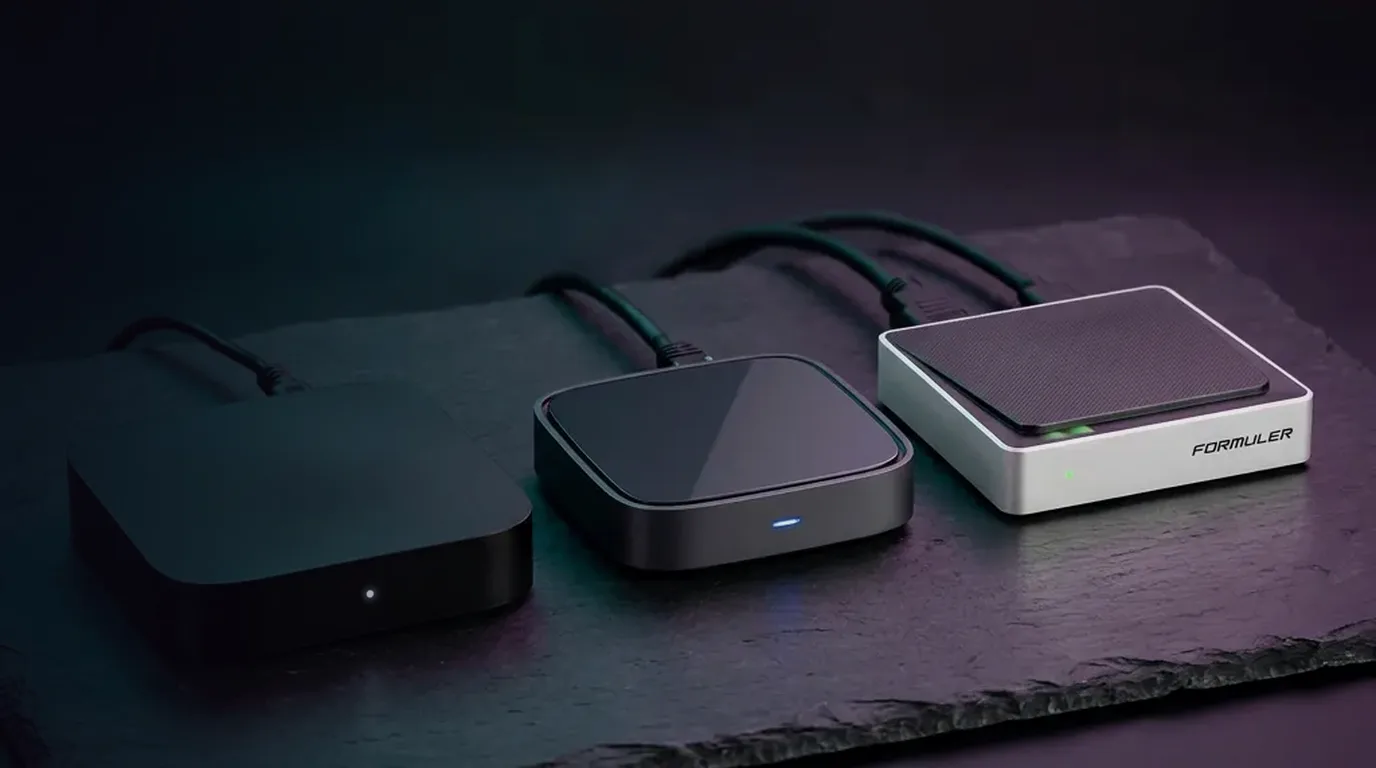
Quick answer: If you are weighing OTT Navigator, Televizo, iMPlayer and XCIPTV against the TiviMate TV player and our IPTV Smarters Pro guide on Android TV, Google TV or a Fire OS stick, start by checking current Google Play Store availability (checked 22 November 2026): Televizo, iMPlayer, XCIPTV and TiviMate are all listed directly on Google Play with automatic updates, whereas the main OTT Navigator player is currently absent from Google Play (with only Scillarium Studio's OttNav Companion remaining on the store). Televizo excels as a tidy all-rounder across phones and TVs; XCIPTV stands out for dual built-in ExoPlayer/VLC playback and scheduled DVR; and iMPlayer appeals to viewers wanting deep visual customisation.
Android power-user IPTV players in brief
- Every player here is empty software: None includes channels or subscriptions—you add your own Xtream Codes login or M3U playlist.
- Check Play Store availability before sideloading: At the time of writing, Televizo, iMPlayer and XCIPTV install directly from Google Play on certified boxes (protected by Google Play Protect), whereas OTT Navigator requires sourcing an installer outside Google Play.
- Match the player to your screens: Unlike TiviMate (remote-only), Televizo, iMPlayer and XCIPTV run across both Android phones/tablets and Android TV / Google TV boxes.
- Test across multiple players with one IPTV King login: Try our 30 days trial for £10 or choose a fixed-term plan from £18.99 for 3 months on the plans and prices page.

When to look beyond TiviMate and IPTV Smarters Pro on Android
Most UK Android TV and Fire OS viewers start with IPTV Smarters Pro setup (because it is free and familiar) and move to TiviMate set-up and Premium on the living-room television for its clean set-top-box EPG grid. Those two apps cover most households well—yet three practical gaps push viewers to test alternatives:
- You want one player for both Android phones/tablets and the living-room TV: TiviMate is built strictly for television remotes and is awkward on touchscreens, whereas Televizo, iMPlayer and XCIPTV support phones, tablets and TVs alike.
- You want built-in dual engines (ExoPlayer + VLC) or scheduled DVR on Google Play: XCIPTV bundles both playback engines alongside scheduled recording straight out of the Play Store.
- You want different menu layouts or granular playlist filtering: Power users often prefer the playlist-editor controls in Televizo or the customisable television layouts of iMPlayer and OTT Navigator.
For a broader overview across Apple, Smart TVs and desktop computers as well, see our IPTV player apps hub and our Android IPTV players guide.

OTT Navigator: Play Store status and what to check in 2026
Developed by Scillarium Studio (scillarium.com), OTT Navigator earned a strong following among Android enthusiasts for its highly configurable interface, archive/catch-up browsing, multi-provider handling and granular playback tweaks.
Before recommending it blindly, however, one verified store-availability fact matters in 2026 (checked 22 November 2026):
- Main player absent from Google Play: The main
OTT NavigatorAndroid application (studio.scillarium.ottnavigator) is not currently listed on the UK Google Play Store. - Companion app still listed: Scillarium Studio's OttNav Companion remains live on Google Play (updated November 2026) specifically to manage premium device slots on devices without Google Play.
What this means in practice: If you do not want the maintenance burden of tracking third-party APK builds outside Google Play—and risking tampered mirror files—one of the Play-listed players below (Televizo, XCIPTV, iMPlayer or TiviMate) is usually the safer, lower-effort choice on a certified Android TV or Google TV box. Avoid installing "cracked" or "modded" OTT Navigator APKs from forum threads (see our IPTV malware and safety guide).

Televizo: clean touchscreen and TV navigation straight from Google Play
Published at televizo.net and listed directly on the UK Google Play Store as Televizo - IPTV player (updated October 2026), Televizo is widely liked for being uncluttered, fast and consistent across Android smartphones, tablets and Android TV boxes.
According to its official Google Play listing and televizo.net, Televizo provides no content of its own and includes these verified features:
- Multiple playlists & EPG: Load multiple user playlists with electronic programme guide (EPG) listings and catch-up support (where your provider supplies archive data).
- Clean organisation & family controls: Easy sorting, search, favourites management, parental control (playlist editor), and direct selection of video tracks, audio tracks and subtitles.
- Chromecast support: Send compatible streams from an Android phone or tablet to a Chromecast or Google TV screen.
- Televizo Companion for Premium: The developer publishes Televizo Companion on Google Play specifically to manage your Televizo account, edit or remove devices and activate the optional Premium tier (check the Play Store listing for current GBP pricing before upgrading).
Who Televizo suits best: Households who want one tidy, reliable Play Store app across Android phones, tablets and living-room boxes without wading through dozens of obscure menus.

iMPlayer TV: modern customisable interface for phones and big screens
Listed on Google Play as iMPlayer TV IPTV Player (updated October 2026), iMPlayer focuses on visual polish and layout customisation across both large-screen televisions and Android handsets.
Its official Google Play listing highlights:
- Dual-screen design: Built for both Android phones and large-screen Android TV / Google TV boxes.
- Extensive customisation: Broad interface tailoring and media organisation tools so you can arrange live TV, series and films to match household viewing habits.
- Responsive playback controls: Fast channel navigation and playback adjustments designed for modern Android devices.
Check the app's current free versus paid tier options directly inside Google Play before committing to any optional upgrade—and avoid downloading unofficial builds from third-party APK blogs.

XCIPTV Player: dual built-in ExoPlayer & VLC plus scheduled DVR
Listed on Google Play as XCIPTV PLAYER, XCIPTV is one of the most complete out-of-the-box Android players for viewers who want built-in codec flexibility and recording without installing external helpers.
According to its official Google Play listing, XCIPTV PLAYER supplies zero media content and verifies these features:
- Two built-in media players: Bundles both ExoPlayer and VLC Player with Adaptive HLS streaming, so if a particular channel stutters or drops audio in one engine, you can switch to the other inside the app.
- Broad login & EPG support: Works with Xtream Codes Compatible API, EZHometech (EZServer) and M3U URLs, alongside EPG, catch-up with EPG, VOD metadata and Series season/episode layouts.
- Built-in DVR & reminders: Supports scheduled DVR recording to internal or external storage, programme reminders directly from the EPG view, favourites, backup and restore, and multi-device sync.
- Remote and touch friendly: Built for Android TV remote D-pads as well as Android phones and tablets.
Remember that recording live TV uses an active stream connection and significant storage (up to roughly 4.5 GB per hour in Full HD or 11 GB per hour in 4K)—read our IPTV recording, catch-up and pause guide before scheduling long recordings on a low-storage stick.

Full comparison matrix: OTT Navigator vs Televizo vs iMPlayer vs XCIPTV vs TiviMate

| Feature | OTT Navigator | Televizo | iMPlayer TV | XCIPTV | TiviMate |
|---|---|---|---|---|---|
| Includes TV channels? | No (player only) | No (player only) | No (player only) | No (player only) | No (player only) |
| UK Google Play Store (22 Nov 2026) | Companion app only (OttNav Companion) | Yes (+ Televizo Companion) | Yes | Yes | Yes (+ TiviMate Companion) |
| Android TV & Google TV boxes | Via official APK | Yes (Play Store) | Yes (Play Store) | Yes (Play Store) | Yes (Play Store) |
| Android phones & tablets | Via official APK | Yes | Yes | Yes | No (TV remote only) |
| Fire OS sticks | Sideloaded APK | Official APK (televizo.net) | Sideloaded APK | Sideloaded APK | Sideloaded APK |
| Vega OS Firesticks | Not supported | Not supported | Not supported | Not supported | Not supported |
| Standout verified strength | Granular tuning (where sourced safely) | Clean multi-playlist UI, Chromecast & track controls | Customisable TV & mobile interface | Dual ExoPlayer + VLC engines & EPG DVR scheduling | Traditional set-top-box EPG grid & speed |

Step-by-step set-up on Android TV, Google TV and Fire OS

- Check your device's store first. On a certified Google TV or Android TV box (such as an Nvidia Shield TV Pro, Google TV Streamer or Xiaomi TV Box S), open the Google Play Store and install Televizo, XCIPTV, iMPlayer or TiviMate directly so Play Protect scans the app and handles updates automatically.
- Check Fire TV OS before sideloading. On Amazon sticks, confirm your device runs Fire OS rather than Vega OS using Amazon's Fire TV device specifications and our Firestick IPTV guide. For Fire OS sideloading, fetch the
.apkdirectly from the developer's own site (such astelevizo.net) rather than relying on random third-party shortcodes, then switch "Install unknown apps" back off afterwards. - Select Xtream Codes API sign-in. Open the app, choose Xtream Codes (or Add Playlist → Xtream Codes), and enter a label, your server URL, username and password. Using the Google TV or Fire TV mobile remote app lets you paste credentials cleanly from WhatsApp without typos.
- Refresh the programme guide (EPG) and hide clutter. Allow one to two minutes for the initial channel list and EPG schedule to download, then hide categories your household will not watch and star your everyday favourites.
- Confirm 50Hz playback and network stability at 8pm. Wire your box with Ethernet (or use 5 GHz Wi-Fi in the same room) and test live television during evening peak hours before paying for any optional app Premium tier.

Understanding companion apps on Google Play (Televizo, OttNav and TiviMate)
One detail that regularly confuses first-time Android and Fire OS buyers is seeing separate "Companion" apps on the UK Google Play Store—specifically Televizo Companion, OttNav Companion and TiviMate Companion.
Every one of those listings carries a clear warning from its developer: a companion app is an account and device-slot manager, not a video player. You use a companion app on an Android phone when you want to purchase or manage optional Premium unlocks for a Fire OS stick or streaming device that lacks Google Play billing, or when you replace an old streaming box and need to free up an activated device slot. If you are only testing the free tier of Televizo or XCIPTV on a Google Play box, you do not need to install any companion utility at all.

Fixing hardware decoder, audio and low-RAM faults
When an Android player loads your channel list cleanly yet struggles during playback, four targeted checks resolve most local faults:
- Black screen with sound (or jerky HEVC playback): Open the player's playback settings and switch between Hardware and Software video decoding—or, in XCIPTV, swap between its built-in ExoPlayer and VLC players.
- Picture with no audio on surround channels: Disable Dolby/DTS passthrough if your television does not connect to a compatible eARC soundbar or AV receiver, forcing stereo PCM output instead.
- Stuttering on 50fps UK live sport: Enable frame-rate matching on your Android TV / Google TV box (and Auto Frame Rate inside your player where offered) so the television switches cleanly to 50Hz—see our 50fps UK IPTV sports guide.
- Sluggish menus on 8 GB streaming sticks: Clear the player's cache (leaving app data intact) in your device's application settings, and avoid loading multiple massive VOD playlists on sticks with 1–2 GB of RAM.
| Symptom on Android TV or Fire OS | Likely cause | First action to try |
|---|---|---|
| Companion app shows no channels | Installed a Companion utility instead of the main player | Install the main player app (Televizo, XCIPTV, iMPlayer or TiviMate) on your TV |
| Audio plays with a black screen | Device hardware decoder struggling with HEVC/codec | Switch Hardware/Software decoder (or swap ExoPlayer and VLC inside XCIPTV) |
| Recording fails or stops early | Insufficient storage or single-screen plan limit | Attach external storage on a box like Shield TV Pro and ensure a free plan connection |
| EPG schedule is an hour out | UK GMT/BST clock change or wrong device time zone | Confirm automatic UK time on your box and check EPG time-shift offset (EPG fixes) |
| Login rejected or HTTP 401/403/458 | Mistyped URL, expired term or another screen active | Stop playback elsewhere and follow our IPTV error codes and fixes guide |
For wider evening stalling or home Wi-Fi diagnostics, follow our IPTV buffering fixes and 5-minute IPTV not working checklist.

Testing these Android players with an IPTV King login
Because IPTV King issues standard Xtream Codes API and M3U credentials—and does not lock you into a proprietary app—you can compare Televizo, XCIPTV, iMPlayer, TiviMate and IPTV Smarters Pro on your own hardware using one login.
- Test across four weekends first: Start with our 30 days trial for £10 with zero automatic renewal.
- One HD or Full HD screen: IPTV Premium UK starts at £18.99 for 3 months.
- One 4K television: IPTV 4K Ultra starts at £23.99 for 3 months (or IPTV 8K Ultra Max from £29.99 for 3 months).
- Recording while watching or using multi-room Android boxes: Our IPTV Family Pack covers 2 to 5 simultaneous streams, starting from £29.99 for 3 months for 2 screens up to £54.99 for 3 months for 5 screens.
IPTV Premium UK
1 screen
Best for: One HD or Full HD television
1
screen at a time
HD and Full HD
picture quality
Term in months
You save £20.00 on 12 months
- HD and Full HD channels on one screen.
- Live TV channels
- TV guide (EPG) for the live channels
- Films and series on demand
- Catch-up TV
- Support 24 hours a day, every day

Pay by Visa, Mastercard, PayPal, Apple Pay, Google Pay or bank transfer
IPTV 4K Ultra
1 screen
Best for: A 4K television and fast broadband
1
screen at a time
Up to 4K
picture quality
Term in months
You save £20.00 on 12 months
- Everything in Premium UK, plus 4K channels, on one screen.
- Live TV channels
- TV guide (EPG) for the live channels
- Films and series on demand
- Catch-up TV
- Support 24 hours a day, every day
Pay by Visa, Mastercard, PayPal, Apple Pay, Google Pay or bank transfer
IPTV 8K Ultra Max
1 screen
Best for: The highest level we sell, on a 4K or 8K television
1
screen at a time
4K, plus some 8K
picture quality
Term in months
You save £30 on 12 months
- Everything in 4K Ultra, plus a selection of 8K content, on one screen.
- Live TV channels
- TV guide (EPG) for the live channels
- Films and series on demand
- Catch-up TV
- Support 24 hours a day, every day
Pay by Visa, Mastercard, PayPal, Apple Pay, Google Pay or bank transfer
IPTV Family Pack
2 screens
Best for: Homes that watch on 2 to 5 screens at once
2
screens at once
Up to 4K
picture quality
Screens at the same time
Term in months
You save £30 on 12 months
- 4K Ultra quality on 2 screens at the same time.
- Live TV channels
- TV guide (EPG) for the live channels
- Films and series on demand
- Catch-up TV
- Support 24 hours a day, every day
Pay by Visa, Mastercard, PayPal, Apple Pay, Google Pay or bank transfer
Not ready to choose? Try IPTV King for 30 days for £10, on your own broadband and devices.
Try 30 days for £10Every plan is covered by a 7-day money-back window, in addition to your statutory rights. The full terms are in our refund policy.
Compare every tier and term length on our IPTV subscription plans and prices page, or explore all platform walkthroughs in our IPTV player apps hub.
Questions people ask
Is OTT Navigator still available on the UK Google Play Store?
At the time of writing (22 November 2026), the main OTT Navigator player is not listed directly on Google Play, whereas the developer's OttNav Companion app remains listed on Google Play strictly to manage premium device slots on devices without Play Store access. If you prefer direct Play Store updates without sideloading, Televizo, XCIPTV, iMPlayer and TiviMate are all listed directly on Google Play.
Do OTT Navigator, Televizo, iMPlayer or XCIPTV include any TV channels?
No. Every one of these applications is an empty media player that supplies zero television channels or subscriptions. You must enter your own Xtream Codes login or M3U playlist URL from a licensed IPTV service or lawful free public playlist before any channels appear.
Which Android IPTV player works best on both a phone and an Android TV box?
Televizo, iMPlayer and XCIPTV are all designed to work across Android phones, tablets and Android TV boxes, whereas TiviMate is built strictly for television remote controls. Televizo is particularly clean for mixed touchscreen and remote households, while XCIPTV bundles ExoPlayer and VLC alongside scheduled recording.
What is Televizo Companion on Google Play used for?
According to its Google Play listing, Televizo Companion is an account management utility—not a video player—used to manage your Televizo account, rename or remove linked devices and activate Televizo Premium. You only need Televizo Companion if you are activating or managing Televizo Premium across devices.
Does XCIPTV support DVR recording and multiple built-in players?
Yes. According to XCIPTV PLAYER's official Google Play listing, it includes two built-in media players (ExoPlayer and VLC Player) with Adaptive HLS streaming, EPG support for Xtream Codes API and M3U URLs, catch-up, backup and restore, and scheduled DVR recording to internal or external storage.
Can I install Televizo, XCIPTV or OTT Navigator on an Amazon Fire TV Stick?
It depends on the stick's operating system. Older and 2023 Fire TV Sticks running Android-based Fire OS can install official Android APK files from the developer's website, whereas newer Fire TV models running Linux-based Vega OS (starting with the Fire TV Stick 4K Select) do not support Android APK sideloading.
Why does a channel play sound with a black screen in an Android IPTV player?
That symptom usually indicates that the streaming device's hardware video decoder is struggling with that stream's video codec (such as H.265/HEVC or interlaced broadcast feeds). Switching between Hardware and Software decoding—or toggling between ExoPlayer and VLC inside XCIPTV—often restores the picture straight away.
Can I use the same IPTV King login across TiviMate, Televizo and XCIPTV?
Yes. Your login uses standard Xtream Codes and M3U formats, so you can test several Android players on the same box or phone without asking support to reset your account. Only the number of streams playing simultaneously is governed by your plan.
Related guides
 IPTV player apps: which one to use on each deviceThe main IPTV apps compared by device, with what each does well and how to install it safely.17 min read
 IPTV player Android: the best IPTV apps for Android phones, tablets and TV boxesThe best players for Android phones, tablets and TV boxes, where to get them safely and how to set one up.15 min read
 TiviMate IPTV player: how to set it up and get the best from itInstall it, add your service, set the buffer and guide properly, and decide whether Premium is worth it.16 min read
 IPTV recording and catch-up: how to record IPTV on every deviceHow to record IPTV on each device, how catch-up and pausing live TV work, and what decides how many screens can watch at once.15 min read