

Key takeaways
- IBO Player is an empty media player, not a TV channel package. On iboplayer.com, the developer states clearly that the app "does not sell playlists or subscriptions" and includes no channels either during its 7-day free trial or after paid activation.
- Two payments, two separate companies. The app licence fee (paid after the 7-day app trial on activation.iboplayer.com) goes to the software developer for the player interface on that one television. Your channels come from your IPTV provider (such as IPTV King).
- Settle Ethernet vs Wi-Fi before activating. As
iboplayer.comdocuments, a Smart TV has two separate MAC addresses (one for Wi-Fi, one for Ethernet). Switching connection types after you activate can switch the active MAC address. - Test with IPTV King during your 7-day app trial. Load an IPTV King playlist into IBO Player using our 30 days trial for £10 or compare fixed terms starting at £18.99 for 3 months on the plans and prices page.
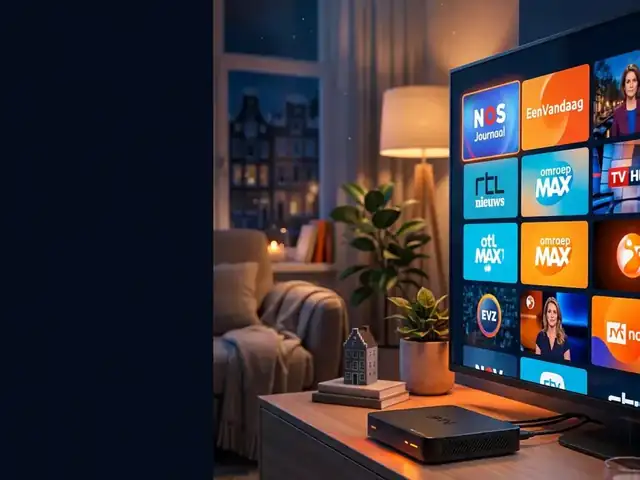
What IBO Player is (and why Smart TV owners use it)
If you own a Samsung Tizen or LG webOS Smart TV in the UK, you quickly discover that your television's built-in app store does not carry Google Play Store apps such as TiviMate. Unless you plug an external streaming stick or box into an HDMI port, you rely on the native media players listed in Samsung's or LG's own store.
For Smart TV owners comparing web-upload players alongside Smart IPTV (SIPTV) or looking for an alternative to older television players such as DuplexPlay, IBO Player (published at iboplayer.com) has become a common duplex play alternative on large-screen sets.
According to the developer's official website at iboplayer.com, IBO Player is a media player that supports M3U and M3U8 playlists and lists compatibility across:
- Samsung Smart TVs (Tizen OS)
- LG Smart TVs (LG webOS)
- Sony televisions and Android TV devices
- Apple TV, Roku and Windows
The golden rule: IBO Player contains zero channels
Because this catches out buyers every week, iboplayer.com displays a prominent notice stating that IBO Player "does not sell playlists or subscriptions" and supplies no channels or media content. The developer specifically warns against activating the app before you already have a working playlist, noting that app activation payments are non-refundable if you buy the licence expecting channels to appear afterwards.
In plain English, two completely separate things are involved when you watch television through IBO Player:
- The player software on your television (
IBO Player): Gives you a 7-day free trial when you install it from your TV's app store. After seven days, the developer requires a licence purchase on its portal (activation.iboplayer.com) to keep the app unlocked on that device. - Your IPTV service (such as IPTV King): Supplies the M3U playlist link or Xtream Codes details that you upload to the player so live channels, catch-up and on-demand programmes appear.
If you are brand new to how internet television apps and playlists fit together, start with our plain-English guide to what IPTV is in the UK and our overview of all UK IPTV player apps.

How the 7-day trial, MAC Address and Device Key work

Typing a 90-character playlist URL using the directional arrows on a television remote control is slow and prone to typos. To avoid that, IBO Player uses a two-part pairing system similar to Smart IPTV, with one extra security field:
- MAC Address (or Device ID): A six-pair hardware identifier formatted like
00:1a:2b:3c:4d:5ethat identifies your television's network adapter. - Device Key: A short numeric security code shown right underneath the MAC Address on the IBO Player welcome screen. Requiring both the MAC Address and the Device Key stops strangers from guessing your television's MAC address and overwriting your playlist on the web portal.
When you first install and open IBO Player on your Samsung, LG or Android TV, the app starts its 7-day trial period immediately and shows your MAC Address and Device Key on screen.

Step-by-step: how to upload your playlist to IBO Player
Before you touch the web portal, do one thing on your television first: decide whether your television will connect to your router by a wired Ethernet cable or by Wi-Fi, and leave it on that connection. (We explain why in the next section on the dual-MAC-address issue.)
Once your television is connected and you have your IPTV King playlist link to hand, follow these five steps:
- Install and open IBO Player on your television. Download the app from the Samsung App Store, LG Content Store or Google Play Store (where Google's Play Protect checks listed Android apps). Leave the welcome screen open so you can read the MAC Address and Device Key clearly.
- Open the official portal on a phone, tablet or computer. Check the exact web address displayed on your television screen—for standard IBO Player, visit iboplayer.com and open the Manage Playlists / login page.
- Sign in with your television's MAC Address and Device Key. Type both values carefully into the web form and log in to your device dashboard.
- Add your M3U playlist or Xtream login.
- To add an M3U / M3U8 playlist link (which
iboplayer.comexplicitly states is supported across all builds), choose Add Playlist, give it a name such asIPTV King, and paste your full M3U URL from your welcome message. - Where the portal offers an XC / Xtream Playlist tab, you can alternatively paste your server URL, username and password into the dedicated fields. (If a particular portal build only asks for an M3U link and you were sent Xtream Codes details, our M3U playlists guide and Xtream Codes guide show how the three Xtream fields combine into one standard M3U URL.)
- To add an M3U / M3U8 playlist link (which
- Save and restart the app on your television. Click Save in the web portal, then return to your television and restart IBO Player (or choose Reload). Your channel categories and programme guide will load in place of the welcome screen.
Want to test that the portal upload works before you even order a paid service? You can paste a free, lawful public broadcast list from the open-source iptv-org repository on GitHub (github.com/iptv-org/iptv) (explained in our guide to free popular IPTV playlists) to see how the menus feel on your remote control.

The dual MAC address warning: Wi-Fi vs Ethernet on Smart TVs
One of the most helpful technical disclosures in the official FAQ on iboplayer.com solves a problem that confuses hundreds of Smart TV owners every month.
Someone sets up IBO Player over Wi-Fi on Monday, uploads their playlist, pays to activate the app, and then on Saturday decides to plug an Ethernet cable into the back of the television to reduce evening buffering. They restart the app—and suddenly the playlist is gone and the screen says the app is no longer activated.
As the FAQ on iboplayer.com explains, every Smart TV carries two distinct hardware MAC addresses—one for its built-in Wi-Fi adapter and a second for its wired Ethernet port. Switching your television from Wi-Fi to Ethernet (or back) and restarting IBO Player activates the other MAC address automatically, which is why an existing playlist or licence bound to the first interface stops appearing.
Because the app licence and uploaded playlist are tied to the active network interface's MAC address:
- Wire the television first if you can. As we show in our Smart TV IPTV guide and our IPTV buffering guide, an Ethernet cable between your router and your television is far steadier at 8pm than built-in TV Wi-Fi. Plug the cable in before you install and activate IBO Player so your playlist and licence are bound to the Ethernet MAC address from day one.
- If you accidentally switched connections after activating, either switch the television's network setting back to the original connection type (Wi-Fi or Ethernet) so the first MAC address reappears, or look in the web portal / contact the app developer's support on
iboplayer.comregarding transferring your activation to the television's second MAC address.
IBO Player vs Smart IPTV (SIPTV) vs a streaming stick

Because several Smart TV players use a similar MAC-address upload portal, it helps to see how IBO Player compares with Smart IPTV (SIPTV)—as well as how both compare with plugging a dedicated streaming stick into your television's HDMI port.
| Feature | IBO Player (iboplayer.com) | Smart IPTV (siptv.app) | External Stick + TiviMate / Smarters |
|---|---|---|---|
| Includes TV channels? | No (player only) | No (player only) | No (players only) |
| App trial on install | 7-day free trial (per iboplayer.com) | Free trial version, then €5.49 one-time fee per TV/device (per siptv.app/activation) | Free tier or free app |
| App activation portal | activation.iboplayer.com | siptv.app/activation | Google Play / developer site |
| How playlists are added | MAC Address + Device Key on iboplayer.com | MAC Address on siptv.app/mylist | Type login directly on screen (or companion app) |
| Extra hardware needed | None (runs on TV) | None (runs on TV) | Streaming stick or Android TV box in HDMI port |
| Moves to a new TV later? | Tied to that device's MAC | Tied to that TV's MAC | Yes: unplug the stick and move it to any TV |
| TV processor & RAM limits | Uses the television's internal memory | Uses the television's internal memory | Dedicated stick/box processor and storage |
Avoiding copycat "IBO" apps and third-party activation scams
Because "IBO" is a widely searched name on Samsung, LG and Android TV stores, you will encounter similarly named listings (such as IBO Player Pro or IBO Pro Player TV) alongside unrelated lookalike apps and websites offering to sell "IBO subscriptions". Follow two straightforward safety rules:
- Only use the official URL displayed inside your installed TV app. For standard IBO Player, playlist management is at iboplayer.com and licence activation is at activation.iboplayer.com.
- Do not pay a stranger in a forum, Telegram chat or private message to "activate IBO Player" for you. Activate the player yourself on the official portal only after you have tested it during the 7-day trial, and buy your television service separately from a provider that publishes its terms and refund policy in writing (see our guide to avoiding IPTV scams and reading Reddit IPTV threads critically).
Common IBO Player problems and how to fix them
Most issues reported by IBO Player users on Samsung and LG televisions come down to four things: television memory limits on huge playlists, the Wi-Fi/Ethernet MAC address switch, stream format compatibility on older TV models, or home broadband congestion.
| Problem on screen | What causes it | How to fix it |
|---|---|---|
| Playlist freezes, loads slowly or crashes the app on startup | Televisions have much less RAM than phones or streaming boxes, and a gigantic M3U list with tens of thousands of VOD entries can overwhelm the TV's memory | Ask your provider for a streamlined playlist (or live TV plus your chosen categories), and restart the television completely by holding the power button on the remote or unplugging it for 30 seconds |
| "Unable to Stream" or playlist stops opening | As iboplayer.com's FAQ notes, this appears when a playlist has expired, has active connection restrictions, or your internet connection dropped | Test whether another device in the house is already using your 1-screen login; check that your subscription term is active; test your line speed on Ofcom's broadband checker |
| Programme guide (EPG) is empty | According to iboplayer.com, the app relies on an EPG-ready system from your provider rather than an internal schedule database | Make sure you uploaded the full playlist details from your provider and reload the app; see our IPTV EPG troubleshooting guide |
| Some channels have sound with no picture (or vice versa) on an older Smart TV | As the FAQ on iboplayer.com notes, television hardware varies by model and older sets may not decode every stream codec | Try an alternative stream resolution (for example Full HD instead of 4K HEVC on an older set), or consider plugging a current Fire OS stick or Google TV box into an HDMI port (see our IPTV devices hub) |
| My MAC address changed and my playlist disappeared | The television switched between Wi-Fi and wired Ethernet, activating its second network adapter MAC address | Switch the television back to the network connection type (Wi-Fi or Ethernet) you used when you uploaded the playlist |
| Live sport stutters or hitches on panning camera shots | The television's built-in motion interpolation (TruMotion / Auto Motion Plus) is inventing frames, or evening Wi-Fi is dropping packets | Turn off artificial motion smoothing in your television's Picture settings, wire the TV with Ethernet, and follow our UK IPTV sports 50fps set-up guide |
If no channel plays at all and other apps on the same television are also misbehaving, work through our 5-minute IPTV not working checklist and our step-by-step beginner IPTV set-up guide.

UK legal and TV licence reminder
Installing IBO Player from your television's official app store is completely lawful: it is a media player, just like VLC or Smart IPTV. What matters under UK law is the source of the streams you play through it:
- Broadcast channels and programmes are protected by copyright. Our plain-English guide to whether IPTV is legal in the UK explains the legal framework and the checks to run before choosing any service.
- Watching or recording any live television programme in the UK—on any channel, through any app and on any television or device—requires a valid TV licence, as does using BBC iPlayer. As confirmed on GOV.UK for 2026/27, a standard colour TV licence costs £180 a year from 1 April 2026.
Using an IPTV King subscription with IBO Player
The smartest way to set up IBO Player on a Samsung, LG or Sony television is to use the app's 7-day free trial and our 30 days subscription trial at the same time, before you pay to activate the app permanently on your television.
That way you can confirm three things in your own living room first:
- Your television's processor loads the channel list and EPG comfortably.
- Your home broadband (ideally wired by Ethernet to the back of the TV) plays live HD and 4K IPTV channels smoothly at 8pm.
- You actually enjoy using IBO Player's remote-control layout enough to keep it on the television rather than plugging in a streaming stick.
Every IPTV King order includes both the M3U playlist link and the Xtream Codes details that work with IBO Player:
- 30 days trial for £10: Test IPTV King across four full weekends with no automatic renewal.
- IPTV Premium UK (£18.99 for 3 months): HD and Full HD channels on 1 screen.
- IPTV 4K Ultra (£23.99 for 3 months) & IPTV 8K Ultra Max (£29.99 for 3 months): Ultra HD picture quality for 4K and 8K Smart TVs on 1 screen.
- IPTV Family Pack (from £29.99 for 3 months for 2 screens to £54.99 for 3 months for 5 screens): Watch on 2 to 5 televisions or devices at the same time under one subscription.
IPTV Premium UK
1 screen
Best for: One HD or Full HD television
1
screen at a time
HD and Full HD
picture quality
Term in months
You save £20.00 on 12 months
- HD and Full HD channels on one screen.
- Live TV channels
- TV guide (EPG) for the live channels
- Films and series on demand
- Catch-up TV
- Support 24 hours a day, every day

Pay by Visa, Mastercard, PayPal, Apple Pay, Google Pay or bank transfer
IPTV 4K Ultra
1 screen
Best for: A 4K television and fast broadband
1
screen at a time
Up to 4K
picture quality
Term in months
You save £20.00 on 12 months
- Everything in Premium UK, plus 4K channels, on one screen.
- Live TV channels
- TV guide (EPG) for the live channels
- Films and series on demand
- Catch-up TV
- Support 24 hours a day, every day
Pay by Visa, Mastercard, PayPal, Apple Pay, Google Pay or bank transfer
IPTV 8K Ultra Max
1 screen
Best for: The highest level we sell, on a 4K or 8K television
1
screen at a time
4K, plus some 8K
picture quality
Term in months
You save £30 on 12 months
- Everything in 4K Ultra, plus a selection of 8K content, on one screen.
- Live TV channels
- TV guide (EPG) for the live channels
- Films and series on demand
- Catch-up TV
- Support 24 hours a day, every day
Pay by Visa, Mastercard, PayPal, Apple Pay, Google Pay or bank transfer
IPTV Family Pack
2 screens
Best for: Homes that watch on 2 to 5 screens at once
2
screens at once
Up to 4K
picture quality
Screens at the same time
Term in months
You save £30 on 12 months
- 4K Ultra quality on 2 screens at the same time.
- Live TV channels
- TV guide (EPG) for the live channels
- Films and series on demand
- Catch-up TV
- Support 24 hours a day, every day
Pay by Visa, Mastercard, PayPal, Apple Pay, Google Pay or bank transfer
Not ready to choose? Try IPTV King for 30 days for £10, on your own broadband and devices.
Try 30 days for £10Compare all tiers and fixed terms on our IPTV subscription plans and prices page, see how we compare against big-brand contracts on IPTV providers in the UK, or explore more television player guides in our IPTV player apps hub.
Questions people ask
Does IBO Player include any TV channels when I activate it?
No. As the developer states explicitly on iboplayer.com, IBO Player does not sell playlists or subscriptions, does not offer channels and does not include any media content. Paying to activate IBO Player only unlocks the player software on your television after its 7-day trial ends. To watch television, you must upload your own playlist from an IPTV service or a lawful free public playlist.
How long is the IBO Player free trial?
According to iboplayer.com, installing IBO Player gives you a 7-day free trial of the application for testing purposes. After the 7-day trial period finishes, you must purchase a licence from the developer's activation portal if you wish to keep using the app on that device.
Why did my IBO Player MAC address change when I plugged in an Ethernet cable?
In the official FAQ on iboplayer.com, the developer explains that each Smart TV has two network MAC addresses: the first belongs to its Wi-Fi adapter and the second belongs to its wired Ethernet port. When you switch your television from Wi-Fi to Ethernet (or the other way around) and restart the app, the second MAC address becomes active. Decide whether your television will use Ethernet or Wi-Fi before you upload your playlist and pay for activation.
What are the MAC Address and Device Key shown on the IBO Player screen?
They are the two identifiers that pair your specific television with the playlist management portal on iboplayer.com. Instead of typing a long M3U URL with a television remote, you open iboplayer.com on a phone or computer, sign in with the MAC Address and Device Key displayed on your TV screen, and paste your playlist link there.
What is the difference between IBO Player, IBO Player Pro and IBO Pro Player TV?
Several Smart TV apps use variations of the IBO name with different themes and interfaces, and unrelated lookalikes also appear in app stores. Always check the exact portal URL shown inside the app you downloaded from your television's official store—for standard IBO Player, playlists are managed on iboplayer.com and activation runs through activation.iboplayer.com.
Does IBO Player have a built-in programme guide (EPG)?
According to the official FAQ on iboplayer.com, the app does not generate its own EPG data, but if your IPTV service supplies an EPG-ready playlist or schedule, it works with the IBO Player platform.
Will IBO Player refund my activation fee if I do not have a playlist?
No. On iboplayer.com, the developer warns users not to purchase an app activation licence if they do not have a working playlist, and states that payments are not refunded if you buy the app expecting channels to appear after activation.
Related guides
 IPTV player apps: which one to use on each deviceThe main IPTV apps compared by device, with what each does well and how to install it safely.17 min read
 Smart IPTV: how to set up, activate and fix the app on Samsung and LG TVsHow the web upload works, what activation costs, and how to fix the errors people meet most.16 min read
 IPTV Smart TV: the best apps for Samsung, LG and other televisionsWhich players work on each brand of television, how to load them, and when a stick is the better answer.18 min read
 IPTV M3U playlists: what they are, how they work and how to load oneWhat is inside the file, M3U versus M3U8, loading a playlist in each player and fixing one that fails.16 min read